

IT Security Companies in UAE: How to Choose the Right IT Partner
What Do IT Security Companies in UAE Do? IT security companies in UAE help businesses protect their networks, devices, applications, accounts, and business data from unauthorized access, malware, data loss, and other digital threats. Modern businesses rely on technology for almost every daily operation. Email, cloud applications, online payments, customer databases, employee devices, and internal networks all need appropriate protection. A professional IT security partner can help businesses with: Network security Firewall management Endpoint protection Access control Email security Backup and recovery Security monitoring Vulnerability assessments User access management Cybersecurity awareness The right approach depends on the size of the business, the type of data it handles, and its technology environment. Why Is IT Security Important for UAE Businesses? A security problem can quickly become a business problem. For example: Compromised account → Unauthorized access → Data exposure → Business disruption Businesses may also face operational problems when ransomware, hardware failure, or accidental deletion makes important files unavailable. A practical IT security strategy should therefore focus on both prevention and recovery. Important security measures include: Strong passwords Multi-factor authentication Firewalls Endpoint protection Regular software updates Access controls Secure Wi-Fi Employee awareness Reliable backups Monitoring No single security product can protect an organization from every threat. Security needs to be managed continuously. What Should the Best IT Services in UAE Include? The best IT services in UAE should be based on the actual needs of the business rather than a standard package. A comprehensive IT provider may offer: IT Support Help with computers, software, email, printers, networks, and user accounts. Network Management Network design, Wi-Fi, switches, routers, firewalls, and troubleshooting. Cybersecurity Protection for endpoints, networks, accounts, applications, and business data. Cloud Services Cloud migration, Microsoft 365, cloud storage, user management, and ongoing support. Backup & Disaster Recovery Protection against accidental deletion, hardware failure, cyber incidents, and other disruptions. IT Infrastructure Servers, workstations, networking equipment, structured cabling, and other infrastructure. Managed IT Services Ongoing monitoring, maintenance, security management, and technical support. A good provider should be able to scale these services as the business grows. What Are IT Solutions in Abu Dhabi? Businesses searching for IT solutions Abu Dhabi may be looking for anything from basic technical support to complete IT infrastructure. A professional IT solution can include: Network installation Server setup Cloud solutions Cybersecurity Wi-Fi infrastructure Structured cabling Backup Hardware Software IT support For example, a company opening a new office may need internet connectivity, firewall protection, network switches, Wi-Fi, structured cabling, computers, printers, cloud services, and cybersecurity. Planning these components together can create a more reliable infrastructure. Why Are Businesses Choosing IT Outsourcing in the UAE? IT outsourcing in UAE allows businesses to use an external technology provider instead of handling every IT requirement internally. This can be useful for small and medium-sized businesses that don’t want to maintain a large internal IT department. Outsourcing can provide access to specialists in: Networking Cybersecurity Cloud computing Servers Backup Hardware Software IT infrastructure Instead of hiring separate specialists for each area, a business can work with one provider that manages multiple IT functions. What Are the Benefits of IT Outsourcing? IT outsourcing can provide several practical advantages. 1. Access to Expertise Businesses can access specialists without hiring every role internally. 2. Predictable Costs Managed service agreements can make IT expenses easier to plan. 3. Faster Support A dedicated external team can respond to technical problems based on agreed service levels. 4. Scalability Services can be increased as the company adds employees, devices, or locations. 5. Proactive Monitoring Instead of waiting for a problem to become serious, the provider can monitor systems and identify potential issues. 6. Improved Security Businesses can access specialist cybersecurity knowledge and tools. When Should a Business Consider IT Outsourcing Abu Dhabi? Businesses considering IT outsourcing Abu Dhabi may benefit from outsourcing when their internal team cannot manage increasing technical requirements. It can be particularly useful when: The business has no dedicated IT team IT problems frequently disrupt employees Cybersecurity requirements are increasing The company is opening a new office Employees are working remotely Cloud services are expanding The business needs 24/7 monitoring Internal IT staff need additional support Outsourcing doesn’t necessarily mean replacing internal IT employees. An external provider can work alongside an internal team and provide additional technical expertise when required. What Is IT Outsourcing in Dubai? IT outsourcing companies in Dubai provide external technology services to businesses that need ongoing IT management or specialist support. Depending on the provider, services may include: Help desk support Network management Server management Cloud services Cybersecurity Backup Device management IT consulting Infrastructure management A business can outsource its complete IT environment or only specific functions. For example, a company might manage its own employees and applications internally while outsourcing network management and cybersecurity. How Do You Choose IT Outsourcing Companies in Dubai? Choosing an outsourcing partner requires more than comparing monthly prices. Before signing an agreement, evaluate: Technical Expertise Does the provider understand your existing technology? Service Coverage Can they handle networking, cloud, security, servers, and support? Response Time How quickly will they respond to critical issues? On-Site Support Can technicians visit your office when remote troubleshooting isn’t enough? Cybersecurity Does security form part of the managed service? Scalability Can the provider support additional users and locations? Reporting Will you receive regular reports about system performance and incidents? Service-Level Agreement Make sure response and resolution expectations are clearly documented. What Should an IT Outsourcing Agreement Include? A good outsourcing agreement should clearly define responsibilities. Important areas include: Services included Support hours Response times Resolution targets Escalation process On-site support Remote support Security responsibilities Backup responsibilities Hardware support Software support Reporting Pricing Contract terms Without clear responsibilities, misunderstandings can occur when a serious technical issue happens. How Can IT Outsourcing Improve Cybersecurity? Cybersecurity is one of the strongest reasons businesses consider outsourcing. An experienced IT provider can help manage: Endpoint Security Protect laptops, desktops, and other devices. Firewall Management Control and monitor network traffic. Multi-Factor Authentication Add another layer of
IT Services Company in Dubai: Complete Guide to Business IT Solutions
What Does an IT Services Company in Dubai Do? An IT services company in Dubai helps businesses build, manage, secure, and maintain their technology infrastructure. Services can range from everyday IT support and networking to cybersecurity, cloud solutions, server management, and complete IT infrastructure projects. For businesses, the goal is simple: keep technology reliable, secure, and aligned with business needs. A professional IT provider can help with: IT support Network infrastructure Wi-Fi solutions Server management Cloud services Cybersecurity Data backup Structured cabling Hardware and software IT system integration Why Do Businesses Need Professional IT Services? Technology problems can quickly become business problems. A slow network can delay employees. A server failure can stop access to important files. A security incident can expose sensitive information. Professional IT services help businesses reduce these risks through proactive management and technical support. Key benefits include: Reduced downtime Better network performance Improved cybersecurity Faster technical support Reliable data backup Scalable infrastructure Better employee productivity Instead of treating IT as an emergency expense, businesses can manage it as an important part of their operations. What Services Should an IT Company Provide? IT infrastructure companies in Dubai focus on the technology foundation that allows businesses to operate efficiently. Infrastructure can include: Servers Network switches Routers Firewalls Wi-Fi access points Structured cabling Storage Backup systems Workstations A well-designed infrastructure should support the company’s current requirements while leaving room for future growth. For example, a business opening a new office may need more than computers. It may require internet connectivity, firewall protection, switches, Wi-Fi, cabling, printers, servers, cloud services, and security systems. Planning these components together can reduce compatibility problems and unnecessary costs. What Do IT Networking Companies in Dubai Do? IT networking companies in Dubai help businesses design, install, secure, and maintain their network infrastructure. A professional network can include: Internet → Firewall → Router → Switches → Wi-Fi → Business Devices Networking services may include: LAN installation Wi-Fi installation Network configuration Router and switch setup Firewall configuration Network monitoring Troubleshooting Structured cabling Network security A properly designed network can improve connectivity and reduce recurring performance issues. When Should You Work With IT Networking Companies in Abu Dhabi? Businesses looking for IT networking companies in Abu Dhabi may need support for a new office, network upgrade, relocation, or ongoing maintenance. Professional networking support can be useful when: Internet performance is inconsistent Wi-Fi coverage is poor Employees experience frequent disconnections A new office is being established The business is expanding Network security needs improvement Existing infrastructure needs upgrading Before starting a project, a network assessment can identify weak points and help determine what equipment and cabling are actually required. What Does IT Support Abu Dhabi Include? IT support Abu Dhabi services can help businesses resolve technical problems and maintain their day-to-day IT environment. Common support requests include: Computer troubleshooting Email problems Printer issues Wi-Fi problems Network connectivity Software errors User account issues Server troubleshooting Hardware replacement Businesses can receive support remotely, on-site, or through a combination of both. For companies without a large internal IT department, outsourced support can provide access to technical expertise without maintaining a full in-house team. What Are IT System Integrators in UAE? IT system integrators in UAE bring different technologies together so they can work as part of one connected environment. Instead of purchasing individual systems separately, an integrator can help plan how they interact. For example: Network + CCTV + Access Control + Servers + Cloud + Cybersecurity System integration can be particularly useful for: New office projects Corporate buildings Warehouses Industrial facilities Multi-site organizations Large commercial projects A good integrator should understand both the individual technologies and how they work together. Why Is IT Security Important for UAE Businesses? Modern companies store significant amounts of sensitive information digitally. This can include: Customer data Employee information Financial documents Business contracts Passwords Intellectual property This is why IT security companies in UAE play an important role in helping businesses protect their infrastructure. Security solutions can include: Firewalls Endpoint protection Multi-factor authentication Secure Wi-Fi Network segmentation Access controls Backup Security monitoring Vulnerability assessments Cybersecurity should not be treated as a one-time installation. Security policies, software, devices, and threats change continuously. How Do You Choose the Right IT Company? Choosing the right provider requires more than comparing prices. Before selecting an IT company, consider: 1. Technical Expertise Does the provider have experience with your technology environment? 2. Service Range Can they support networking, servers, cloud, cybersecurity, and other requirements? 3. Response Time How quickly will they respond when something goes wrong? 4. On-Site Support Can they send technicians when remote troubleshooting isn’t enough? 5. Scalability Can the provider support your business as it grows? 6. Security Does cybersecurity form part of the overall IT strategy? 7. Maintenance Do they offer proactive monitoring and regular maintenance? 8. Documentation Will they maintain network diagrams, device records, configurations, and other important documentation? Should You Outsource IT Services? Outsourcing IT can be useful for businesses that don’t have the resources to maintain a large internal IT team. It can provide access to specialists in: Networking Cybersecurity Cloud computing Servers Backup Hardware IT infrastructure It can also make IT costs more predictable through managed service agreements. However, outsourcing should complement your business—not create another dependency without accountability. Choose a provider with clear responsibilities, response times, escalation procedures, and reporting. What Should You Check Before Starting an IT Project? Whether you’re building a new network or upgrading existing infrastructure, start with a clear assessment. Project Checklist Identify current IT problems List users and devices Map existing network infrastructure Identify critical applications Review cybersecurity Check backup systems Define future requirements Set a realistic budget Request a detailed proposal Confirm warranty and support This helps ensure the solution is designed around actual business requirements. How Can CCTV Service Dubai Help With IT Infrastructure? CCTV Service Dubai provides technology and security infrastructure solutions for businesses in Dubai and across the UAE. Our services can support businesses with: IT Networking Network infrastructure, connectivity, switches, routers,
Employee Clock In System: Complete Guide for Small Businesses
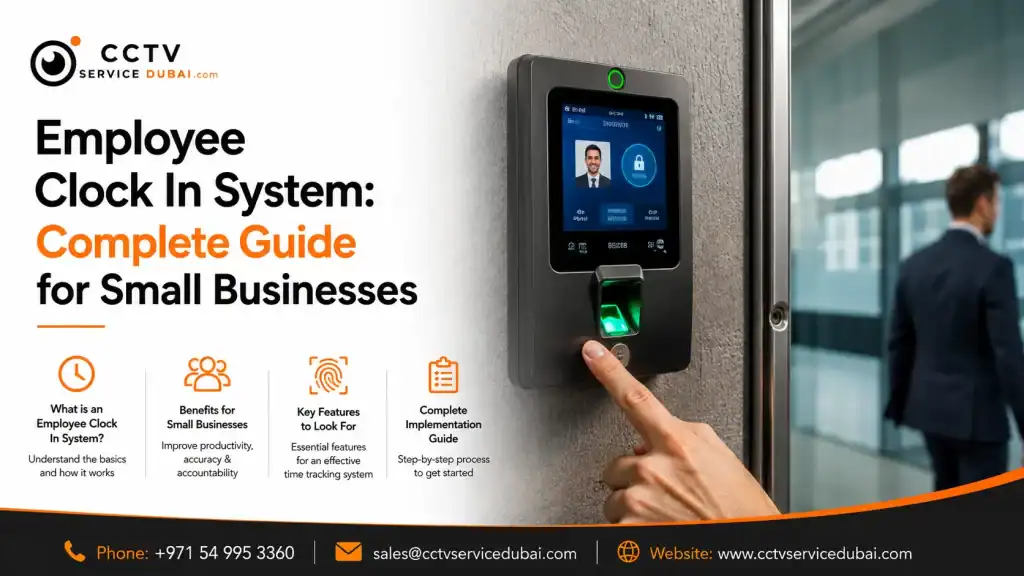
What Is an Employee Clock In System? An employee clock in system is a digital solution that records when employees start and finish work. Instead of using paper registers or spreadsheets, businesses can use fingerprint scanners, facial recognition, RFID cards, PINs, mobile applications, or cloud platforms to automate attendance tracking. A modern system can help businesses manage: Employee check-in and check-out Working hours Overtime Late arrivals Absences Shifts Leave Attendance reports For small businesses, this can reduce repetitive HR work while providing a more accurate record of employee attendance. Why Do Small Businesses Need a Clock In System? Manual attendance may work when a business has only a few employees. As the workforce grows, however, calculating working hours and managing attendance records becomes increasingly time-consuming. A clock in system for small business can automate much of this process. Instead of collecting attendance sheets and manually calculating hours, the system records employee activity electronically. Key benefits include: Reduced paperwork Fewer manual errors Faster attendance reporting Better employee accountability Easier payroll preparation Centralized attendance records Improved visibility of working hours For businesses with shifts or multiple departments, automation becomes even more valuable. How Does an Employee Clock In System Work? Most systems follow a simple process: Employee Identification → Verification → Attendance Record → Software For example: An employee arrives at work. They use a fingerprint, face, card, PIN, or mobile credential. The system verifies their identity. The check-in time is recorded. The information is transferred to attendance software. HR can view the attendance record. When the employee leaves, the same process records the check-out time. The software can then calculate working hours based on the configured schedules and attendance rules. What Types of Employee Clock In Systems Are Available? Businesses have several options depending on their requirements. System Best For Main Advantage Fingerprint Offices and retail Reliable identification Facial recognition Modern workplaces Contactless verification RFID/card General businesses Simple to use PIN Small teams Easy implementation Mobile Remote employees Flexible attendance Cloud-based Multiple locations Centralized management The best solution depends on the number of employees, work environment, budget, shift structure, and software requirements. What Are Biometric Time Clock Systems? Biometric time clock systems identify employees using physical characteristics such as fingerprints or facial features. Unlike a traditional attendance sheet or shared access card, biometric authentication connects an attendance event to a registered employee. Common biometric options include: Fingerprint recognition Facial recognition Palm recognition Other biometric technologies For many small and medium-sized businesses, fingerprint and facial recognition provide a practical balance between convenience and employee identification. How Does a Fingerprint Time Clock System Work? A fingerprint time clock system records attendance by matching an employee’s fingerprint with their registered biometric data. The process generally involves: Employee Enrollment The employee’s fingerprint is registered in the attendance device. Authentication The employee places their finger on the scanner. Verification The device compares the scan with the registered biometric template. Attendance Recording Once verified, the check-in or check-out event is recorded. Software Synchronization The attendance information is transferred to the management platform. Why Choose Fingerprint Attendance? A fingerprint system can offer: Quick authentication No physical attendance cards Automated attendance records Simple employee enrollment Potential integration with access control However, fingerprint recognition may not be ideal for every workplace. Employees working with dust, chemicals, oils, or materials that affect fingerprints may experience difficulties. In such environments, another authentication method may be more suitable. What Is a Facial Recognition Time Clock? A facial recognition time clock identifies employees using facial characteristics instead of requiring physical contact with a scanner. This makes it an attractive option for businesses looking for contactless attendance. Potential benefits include: Contactless check-in Fast employee verification No physical cards Convenient attendance tracking Reduced shared-credential issues Businesses should nevertheless consider privacy, data protection, lighting conditions, device positioning, and the technology used by the selected system. Are Cloud Based Time and Attendance Systems Useful? Cloud based time and attendance systems allow businesses to manage attendance information through an online platform. This can be particularly useful for companies with multiple offices, branches, or employees working across different locations. Depending on the platform, HR managers may be able to: View attendance remotely Manage employees Create shifts Generate reports Manage multiple locations Monitor attendance Access dashboards A cloud-based system can eliminate the need to depend entirely on one local computer for attendance management. However, businesses should evaluate the provider’s security, user permissions, data storage, backup policies, and support before choosing a cloud solution. What Is an Online Attendance Management System? An online attendance management system allows authorized users to manage employee attendance through a web-based or cloud-connected platform. Depending on the software, HR teams can manage: Employee profiles Departments Shifts Holidays Leave Overtime Attendance reports Multiple locations For example, a company with offices in different areas can potentially manage employee attendance from a centralized platform rather than maintaining separate spreadsheets for each location. This can reduce administrative work and improve visibility. What Is a Staff Clock In and Out System? A staff clock in and out system records when employees start and finish their working day. It can help managers answer practical questions such as: Who has arrived? Who is absent? Who arrived late? Who has left? How many hours has an employee worked? Who has worked overtime? This is particularly useful for businesses with shift-based employees. A digital system can automatically maintain these records instead of requiring managers to check paper attendance sheets. Can Attendance Systems Manage Different Shifts? Yes. Many modern attendance platforms support multiple shift schedules. For example: Morning: 8:00 AM – 5:00 PM Evening: 2:00 PM – 11:00 PM Night: 10:00 PM – 7:00 AM Depending on the software, HR can assign different schedules to different employees or departments. This can be useful for: Retail businesses Restaurants Hotels Warehouses Factories Security companies Healthcare organizations The software can then generate attendance reports based on the assigned schedules. Can an Employee Clock In System Integrate With Payroll? Many attendance systems can export or integrate attendance information with HR
Time Attendance System in Dubai: Complete Guide to Biometric Attendance Solutions
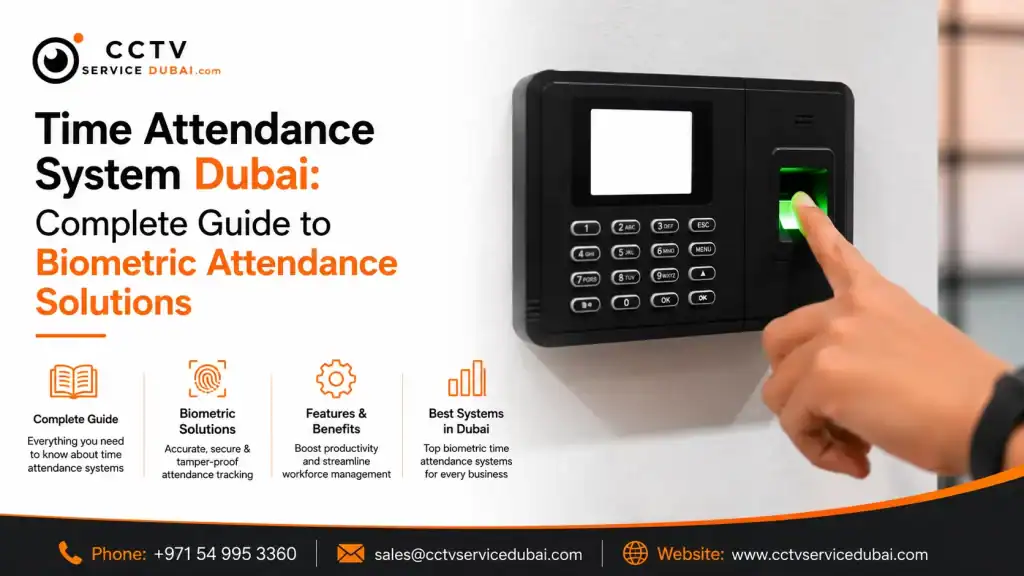
What Is a Time Attendance System? A time attendance system in Dubai helps businesses record employee working hours electronically instead of relying on manual registers or spreadsheets. Modern systems can use fingerprints, facial recognition, RFID cards, PINs, or mobile-based authentication to record employee check-ins and check-outs. A complete attendance solution can help HR teams manage: Employee attendance Check-in and check-out Working hours Late arrivals Early departures Overtime Shifts Leave Attendance reports For businesses with multiple employees, automating attendance can save HR teams considerable time and reduce manual errors. Why Do Businesses Need a Time Attendance System in Dubai? Managing employee attendance manually becomes difficult as a company grows. A business with 10 employees may manage attendance using a spreadsheet. But imagine managing 100 or 500 employees across different departments. HR teams may need to track: Working hours Multiple shifts Overtime Late arrivals Leave Holidays Branch locations A digital attendance system can centralize this information and make reporting easier. Key Benefits Accurate attendance records Reduced manual work Faster reporting Better employee accountability Easier payroll preparation Centralized employee records Real-time attendance visibility How Does a Biometric Attendance System Work? A biometric attendance system in Dubai identifies employees using unique biological characteristics such as fingerprints or facial features. The basic process is: Employee → Biometric Verification → Attendance Record → Software → HR Report For example: An employee arrives at the office. They scan their fingerprint or face. The device verifies their identity. The system records the arrival time. The information is synchronized with the attendance software. HR can access the attendance record. The same process occurs when the employee checks out. This creates a digital record that can be used for attendance reporting and workforce management. What Types of Attendance Systems Are Available? Businesses can choose from several technologies depending on their requirements. Fingerprint Attendance Fingerprint systems identify employees using their registered fingerprints. They can be suitable for: Offices Warehouses Retail businesses Factories Small and medium-sized companies Facial Recognition Facial recognition systems verify employees using their facial features. They can be useful when businesses want a contactless authentication method. RFID Attendance Employees use cards or RFID credentials to record attendance. This can be useful for organizations that already use access cards for door security. PIN-Based Attendance Employees enter a personal PIN to record attendance. This is simple but generally provides less identity assurance than biometric authentication. Mobile Attendance Employees can record attendance through a mobile application, depending on the software and business requirements. What Types of Attendance Systems Are Available? Businesses can choose from several technologies depending on their requirements. Fingerprint Attendance Fingerprint systems identify employees using their registered fingerprints. They can be suitable for: Offices Warehouses Retail businesses Factories Small and medium-sized companies Facial Recognition Facial recognition systems verify employees using their facial features. They can be useful when businesses want a contactless authentication method. RFID Attendance Employees use cards or RFID credentials to record attendance. This can be useful for organizations that already use access cards for door security. PIN-Based Attendance Employees enter a personal PIN to record attendance. This is simple but generally provides less identity assurance than biometric authentication. Mobile Attendance Employees can record attendance through a mobile application, depending on the software and business requirements. What Is a Biometric Time Attendance System? A biometric time attendance system in Dubai combines employee identification with time tracking. Unlike a simple attendance register, the system can automatically record when employees enter and leave. It can also support features such as: Shift management Overtime calculation Attendance reports Department management Leave management Employee profiles Late-arrival reports Early-departure reports This can make it easier for HR departments to understand employee attendance patterns. What Is Attendance Software in Dubai? An attendance machine collects the employee’s attendance event, but the attendance software in Dubai is what helps HR teams manage and analyze that information. Depending on the platform, attendance software may provide: Employee management Attendance dashboards Shift scheduling Leave management Overtime calculation Reports Department management Device management Payroll-related exports The software can be installed on a local server or provided through a cloud-based platform, depending on the product. For larger organizations, software selection is just as important as choosing the biometric device. What Should You Look for in Attendance Software? Before purchasing attendance software, consider the following: Employee Capacity How many employees can the system support? Multiple Locations Can HR manage employees across different branches? Shift Management Can the software handle rotating or overnight shifts? Leave Management Can employees’ leave and attendance be managed from the same platform? Reporting Can HR generate reports for: Daily attendance Monthly attendance Late arrivals Overtime Absences Working hours Integration Can the system integrate with payroll, HR, access control, or other business software? Cloud Access Can authorized administrators access attendance information remotely? What Is Fingerprint Attendance in Dubai? Fingerprint attendance in Dubai remains a practical option for businesses that want employee identification without relying on physical attendance cards. A fingerprint terminal typically stores an employee’s registered biometric template. When the employee places their finger on the scanner, the device verifies the fingerprint and records the attendance event. Advantages of Fingerprint Attendance Easy employee identification No attendance cards required Reduced risk of employees sharing credentials Fast check-in Digital attendance records Suitable for many office environments However, businesses should choose devices according to the environment. For example, employees working with machinery or materials that affect fingerprint readability may benefit from alternative authentication methods such as facial recognition or RFID. What Is an Online Attendance System in the UAE? An online attendance system UAE solution allows authorized users to manage attendance information through a network or cloud-based platform. Depending on the solution, HR managers may be able to: View attendance remotely Manage employees Create shifts Generate reports Monitor multiple branches Access attendance information through a browser Manage devices remotely This can be especially useful for businesses with employees working across multiple locations. Traditional vs Online Attendance Traditional Attendance Online Attendance System Manual records Digital records Local access Remote access possible More administrative
Best IT Solutions Company in Dubai: How to Choose the Right IT Partner
How Can You Choose the Best IT Solutions Company in Dubai? The best IT solutions company in Dubai should do more than fix computers when something goes wrong. A reliable IT partner should help businesses manage networks, devices, cloud platforms, cybersecurity, backups, software, and day-to-day technical issues. Instead of choosing a provider based only on price, businesses should consider: Technical expertise Response time Service availability Cybersecurity capabilities Network support Cloud expertise Backup and recovery Proactive monitoring Scalability Long-term support A good IT partner should understand your business and prevent technical problems before they affect productivity. Why Do Businesses Need Professional IT Support in Dubai? Modern businesses depend heavily on technology. A typical company may use: Business computers Servers Wi-Fi networks Cloud applications Email platforms Printers Firewalls Business software Data storage Security systems If one of these systems fails, employees may lose valuable working time. Professional IT support helps businesses identify and resolve these issues quickly. Instead of waiting for something to break, companies can use proactive monitoring and maintenance to identify potential problems earlier. What Services Should an IT Solutions Company Provide? A professional IT solutions company in Dubai should offer services that cover both daily technical support and long-term infrastructure requirements. Common services include: IT help desk support Network installation Server management Cloud solutions Microsoft 365 support Cybersecurity Data backup Disaster recovery Hardware support Software troubleshooting Firewall management Wi-Fi solutions IT consulting The exact services required depend on the size and technical environment of the business. A small office may need basic IT support and Microsoft 365 management, while an enterprise organization may require a complete managed infrastructure solution. What Do IT Support Companies in Dubai Actually Do? IT support companies in Dubai help businesses maintain their technology infrastructure and resolve technical problems. Support can be provided remotely, on-site, or through a combination of both. Typical support requests include: Computer problems Network connectivity issues Email problems Printer configuration Software errors Password and account issues Server problems Wi-Fi issues Security alerts Hardware troubleshooting Good IT support is not only about responding when someone raises a ticket. The better approach is to identify recurring problems and find a permanent solution. What Are Managed IT Services in Dubai? Managed IT services Dubai refers to outsourcing some or all of a company’s IT management to an external provider. Instead of hiring a large internal IT team for every requirement, a business can work with a managed service provider that monitors and supports its technology infrastructure. Managed services may include: 24/7 monitoring Network management Server monitoring Security management Backup monitoring Patch management Help desk support Cloud management Device management IT reporting The goal is to make IT more predictable and easier to manage. What Is an IT Managed Service Provider in Dubai? An IT managed service provider Dubai delivers ongoing IT management rather than providing only one-time technical assistance. For example, an MSP may continuously monitor: Network → Servers → Devices → Security → Backup → Cloud Services If an issue appears, the provider can investigate it before it becomes a major business disruption. Traditional IT Support vs Managed IT Traditional IT Support Managed IT Services Often reactive Proactive Pay for individual support Recurring service model Issues addressed after they occur Continuous monitoring Limited visibility Regular reporting May focus on troubleshooting Focuses on overall IT health Managed services can be particularly useful for businesses that want predictable IT costs and ongoing technical support. What Should an IT Solution Provider in Dubai Help With? An IT solution provider in Dubai should be able to understand the complete technology environment rather than recommending isolated products. For example, when setting up a new office, the provider may need to plan: Internet connectivity Firewall Network switches Wi-Fi Structured cabling Computers Printers Servers or cloud services Microsoft 365 Cybersecurity Backup User management The advantage of working with a solution provider is that these components can be planned as one connected infrastructure. How Important Is Cybersecurity for Dubai Businesses? Cybersecurity should be part of every modern IT strategy. Businesses store valuable information such as: Customer information Employee records Financial data Business documents Passwords Contracts Intellectual property A reliable IT provider should therefore help businesses implement appropriate security controls. These can include: Firewalls Endpoint protection Multi-factor authentication Secure Wi-Fi Access controls Backup Patch management Security monitoring Employee awareness No single technology can eliminate every cyber risk, so security should be approached as an ongoing process. Why Are Backup and Disaster Recovery Important? Imagine your company’s files suddenly become inaccessible because of hardware failure, accidental deletion, or a cyber incident. Without a reliable backup, recovering the data can become extremely difficult. A professional IT provider can help businesses develop a backup strategy covering: Servers Computers Cloud data Business applications Critical documents A good backup strategy should also consider where backups are stored, how frequently they run, and whether they can actually be restored. Testing restoration is just as important as creating backups. How Can IT Support Improve Employee Productivity? Technical problems can quickly become productivity problems. For example: Slow computer → Employee loses time → Work is delayed → Customer response slows Professional IT support can reduce this disruption by providing faster troubleshooting and proactive maintenance. IT teams can help employees with: Device configuration Software issues Email Internet connectivity Printing Cloud applications Access problems This allows employees to spend more time on their actual responsibilities instead of troubleshooting technology. How Do You Choose the Right IT Support Services Provider in Dubai? When comparing an IT support services provider Dubai, look beyond the monthly price. Ask potential providers: 1. What support hours do you offer? Some businesses need only business-hours support, while others require 24/7 coverage. 2. How quickly do you respond? Understand the provider’s response and resolution targets. 3. Do you provide on-site support? Remote support is useful, but some problems require a technician on-site. 4. Do you monitor systems proactively? Proactive monitoring can identify problems before employees notice them. 5. Do you provide cybersecurity? IT support without adequate security can
Intruder Alarm Installation Cost in UAE: Complete Guide for Homes & Businesses

How Much Does Intruder Alarm Installation Cost in the UAE? The intruder alarm installation cost in UAE depends on the property size, number of sensors, alarm type, installation complexity, monitoring requirements, and whether the system is wired or wireless. A basic home system can be relatively simple, while a commercial installation may require multiple zones, door contacts, motion detectors, panic buttons, remote monitoring, and integration with CCTV or access control. Instead of choosing an alarm based only on price, consider the complete cost of equipment, installation, configuration, maintenance, and future support. What Is an Intruder Alarm System? An intruder alarm system is designed to detect unauthorized entry or suspicious activity and alert the property owner, security personnel, or monitoring service. A typical system can include: Control panel Door and window contacts PIR motion sensors Glass-break detectors External siren Internal sounder Panic buttons Keypads Remote controls Mobile or remote notifications When a sensor detects an event, the control panel processes the signal and activates the appropriate alert. For example, if someone opens a protected door while the alarm is armed, the door contact can send a signal to the control panel, which then activates the alarm. What Affects Intruder Alarm Installation Cost in UAE? There isn’t one fixed price for every property. The intruder alarm installation cost in UAE can change depending on several factors. 1. Property Size A small apartment may require only a few sensors. A villa, warehouse, office, or commercial building may need significantly more detection points. 2. Number of Protected Areas More doors, windows, rooms, and access points generally mean more sensors and installation work. 3. Wired vs Wireless Wired systems can be practical during construction or renovation when cables can be concealed easily. Wireless systems can be useful when installing new cabling would be disruptive. 4. Type of Sensors Different areas may require different detection technologies. For example: PIR motion sensors Magnetic door contacts Glass-break detectors Outdoor beams Smoke or heat detection, where integrated appropriately 5. Monitoring A system with professional monitoring or remote notification may have additional equipment or recurring service costs. 6. Integration Integrating an alarm with CCTV, access control, or building-management systems can increase project complexity. What Is Included in Intruder Alarm System Installation? Professional intruder alarm system installation normally includes more than mounting sensors. A typical project can involve: Site survey Security assessment Alarm system design Equipment selection Sensor installation Control-panel installation Siren installation Cabling or wireless configuration Zone programming User setup System testing Customer training The installer should explain what each sensor protects and how the alarm behaves during different events. How Does an Intruder Alarm Work? The basic process is straightforward: Sensor → Control Panel → Alarm Event → Notification For example: The alarm is armed. An unauthorized person opens a protected door. The door contact detects the opening. The signal reaches the control panel. The control panel identifies the affected zone. The siren activates. A configured notification may be sent. Security personnel or the property owner can respond. Modern systems can also provide event logs that help users understand when an alarm was triggered and which zone caused the event. Are Wireless Domestic Intruder Alarms a Good Option? Wireless domestic intruder alarms can be a practical option for homes where installing new cables would be difficult or disruptive. They can be suitable for: Apartments Villas Small offices Rented properties Renovated homes Common wireless components include: Wireless PIR sensors Wireless door contacts Wireless keypads Wireless sirens Remote controls Advantages of Wireless Systems Less visible cabling Faster installation in many situations Easier installation in finished properties Flexible sensor positioning Easier expansion in some systems However, wireless systems depend on batteries and radio communication. Therefore, battery monitoring and regular maintenance are important. Are Easy Fit Burglar Alarms Suitable for Everyone? Easy fit burglar alarms are designed to simplify installation and setup, making them attractive for homeowners who want a straightforward security solution. They can work well for relatively simple properties where advanced integration isn’t required. However, a DIY-style alarm may not be appropriate for: Large villas Warehouses Retail stores Offices with multiple access points Industrial properties High-security environments For larger properties, professional design and installation can provide better coverage and more reliable configuration. What Is the Burglar Alarm Fitted Cost? The burglar alarm fitted cost depends on the equipment, property layout, number of sensors, installation complexity, and additional services. Instead of asking only: “How much is the alarm?” Ask for a complete quotation covering: Cost Area What to Check Alarm panel Brand and model Sensors Quantity and type Keypad Included or separate Siren Internal/external Installation Labour included Programming Included Testing Included Mobile app Availability Monitoring Monthly/annual cost Warranty Duration Maintenance AMC or service plan This gives you a much clearer picture of the actual project cost. What Is Commercial Intruder Alarm Installation? Commercial intruder alarm installation is designed for businesses that need to protect larger or more complex premises. Commercial environments may include: Offices Retail stores Warehouses Restaurants Hotels Factories Showrooms Storage facilities Commercial buildings A commercial alarm system may use multiple detection zones. For example: Reception → Office Area → Server Room → Warehouse → Storage → Emergency Exit Each area can have its own security requirements. Commercial Alarm Systems May Include Multiple PIR sensors Door contacts Panic buttons External sirens Internal sounders Keypads Multiple user profiles Remote notifications Alarm monitoring CCTV integration The system should be designed according to the property’s risk profile rather than using a standard package for every business. What Does an NSI Approved Alarm Mean? The term NSI approved alarm refers to alarm systems or alarm-related services associated with the National Security Inspectorate (NSI), a UK-based certification body for security and fire-safety providers. This keyword is commonly searched by buyers who are researching certified alarm systems and installers. However, UAE customers should be careful not to assume that an NSI approval automatically means a system meets every UAE-specific requirement. When selecting an alarm for a UAE property, consider: Local regulations Building requirements Insurance requirements Monitoring