

Best Biometric Access Control System: How to Choose the Right One
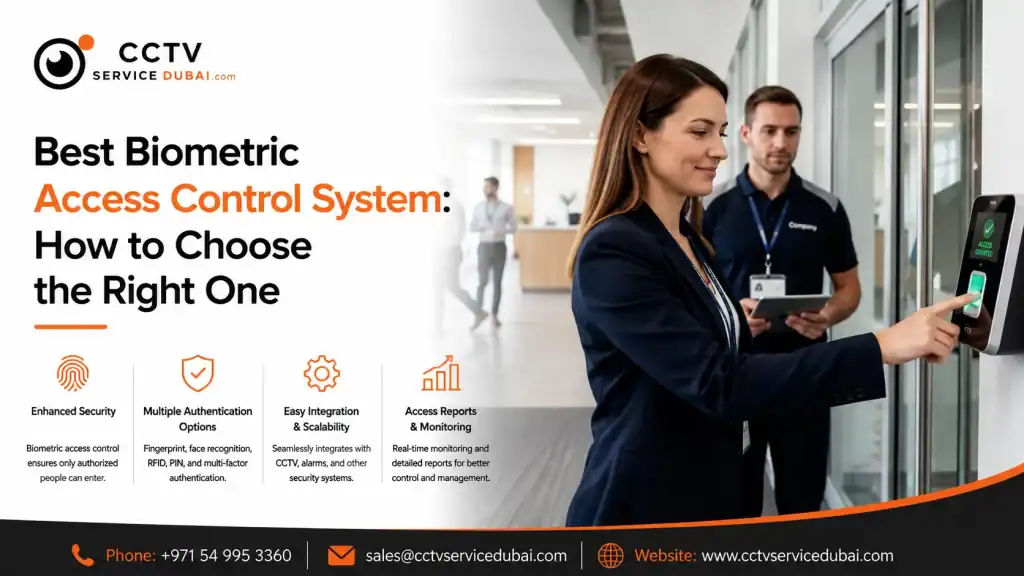
What Is a Biometric Access Control System? The best biometric access control system allows businesses to control who can enter specific areas using unique biological characteristics such as fingerprints or facial recognition. Instead of relying only on traditional keys or access cards, biometric systems verify an individual’s identity before granting access. A typical system can include: Fingerprint or facial recognition terminal Access controller Electronic door lock Exit button Door sensor Access control software Power supply Network connection For businesses, this can provide both security and employee management from one system. Why Are Biometric Access Control Systems Popular? Traditional keys can be lost, while access cards can be shared or misplaced. Biometric authentication connects access to the individual using a registered biometric credential. Businesses can use biometric access control to: Restrict sensitive areas Monitor employee access Manage working hours Create access schedules Track entry and exit events Reduce unauthorized access Maintain digital access records For offices, warehouses, retail stores, and commercial buildings, this can make physical security easier to manage. What Makes a Good Access Control System? A good access control system should provide more than simply unlocking a door. Before selecting a system, consider: Authentication Does it support fingerprint, facial recognition, RFID cards, PINs, or multiple methods? User Capacity How many employees and users can the system handle? Access Levels Can administrators give different employees access to different areas? Time Schedules Can access be restricted according to working hours? Reporting Can managers view entry and exit records? Integration Can the system integrate with attendance, CCTV, or other security systems? Scalability Can additional doors and users be added later? Software Is the management software easy for administrators to use? These factors are often more important than choosing a system based purely on brand or price. What Is the Best Access Control System for an Office? The best access control system for office environments depends on the company’s size, security requirements, number of doors, and attendance needs. A small office may only require: Biometric Terminal + Door Lock + Access Software A larger organization may need: Multiple Readers + Controllers + Centralized Software + Attendance + CCTV Integration For offices, useful features can include: Employee access management Working-hour schedules Department-based permissions Visitor management Attendance reports Multiple-door management Remote administration If access control and time attendance are both required, choosing a platform that supports both functions can simplify administration. Fingerprint vs Facial Recognition: Which Is Better? Both technologies can be effective, but they suit different environments. Feature Fingerprint Facial Recognition Contactless No Yes Speed Fast Fast Physical contact Required Not required Employee convenience High High Hygiene considerations More relevant Lower contact Suitable for Offices, retail, general use Offices, high-traffic areas Enrollment Fingerprint registration Face registration Fingerprint Systems A fingerprint reader can be a practical option for businesses that want reliable employee identification at a relatively straightforward setup. Facial Recognition Facial recognition can be useful for businesses that prefer a contactless authentication experience. The choice should be based on the workplace environment, employee workflow, security requirements, and system capabilities. What Are the Benefits of Biometric Access Control? A biometric system can provide several advantages over traditional access methods. 1. Better Identity Verification The credential is linked to the registered individual. 2. Reduced Card Management Employees don’t necessarily need to carry physical access cards. 3. Detailed Access Records The system can maintain records of access events. 4. Flexible Permissions Administrators can assign access rights based on employees or departments. 5. Better Security Restricted areas can be protected using controlled authentication. 6. Attendance Integration Some biometric platforms can combine access control with employee attendance. What Are the Top 10 Access Control Systems? When researching the top 10 access control systems, avoid relying only on generic rankings. Different systems are designed for different business requirements. Instead, compare them based on: Biometric options User capacity Door capacity Software capabilities Cloud availability Attendance integration CCTV integration Mobile access Reporting Scalability A system that is excellent for a small office may not be suitable for a large enterprise. The “best” solution should therefore be determined by the requirements of the actual project. What Are the Best Cloud Based Access Control Systems? Best cloud based access control systems allow administrators to manage access remotely through an online platform. This can be useful for companies with: Multiple offices Multiple branches Remote administrators Distributed employees Several access-controlled doors Depending on the platform, administrators may be able to: Add or remove users Change access permissions Review access events Manage schedules Monitor multiple locations Generate reports Cloud access control can reduce the need for local management infrastructure, but businesses should evaluate internet dependency, cybersecurity, user permissions, data protection, and subscription costs. How Much Does a ZKTeco Time Attendance Machine Cost? The ZKTeco time attendance machine price varies depending on the model and features. Factors that can affect pricing include: Fingerprint capability Facial recognition User capacity Attendance features Display type Network connectivity Cloud capabilities Software Access-control functionality A basic attendance terminal and an advanced biometric access-control device can have significantly different specifications and prices. When comparing prices, don’t look at the hardware alone. Check whether the quotation includes: Device Software Installation Configuration Employee enrollment Network setup Training Warranty Technical support This gives you a more realistic picture of the total investment. Can Access Control and Time Attendance Work Together? Yes. This is one of the most useful features for businesses. A biometric terminal can potentially be configured to record both: Employee Identity → Door Access → Attendance Event For example, an employee arrives at the office and uses their fingerprint. The system can verify the employee, unlock the authorized door, and record the event for attendance purposes if the platform supports this functionality. This can reduce the need for separate attendance and access-control devices. How Do You Choose Among Access Control System Companies? When comparing top 10 access control systems companies, focus on the actual services and technical capabilities rather than simply looking at a company ranking. Ask potential providers: Do They Provide Site Surveys?
CCTV Installation in Sharjah & Ajman: How to Choose the Right Security System

Why Is CCTV Installation Important for Businesses in Sharjah & Ajman? Professional CCTV installation Sharjah solutions help businesses monitor entrances, workspaces, parking areas, storage facilities, and other important parts of a property. A CCTV system is more than a collection of cameras. It includes cameras, recording equipment, storage, cabling, network infrastructure, configuration, and maintenance. For businesses in Sharjah and Ajman, the right system should be designed according to: Property size Number of monitoring areas Indoor and outdoor requirements Lighting conditions Recording duration Network infrastructure Remote monitoring requirements Future expansion Installing more cameras isn’t always the answer. Correct camera placement and system design are what matter most. What Does Professional CCTV Camera Installation in Sharjah Include? CCTV camera installation Sharjah typically starts with a site survey before any equipment is installed. A professional installer should assess: Entrances and exits Blind spots Parking areas Perimeters Reception areas Cash counters Storage areas Lighting conditions Cable routes The installer can then recommend suitable cameras and recording equipment. A complete installation may include: Site survey Camera selection Camera positioning Cabling NVR/DVR installation Storage configuration Network setup Camera configuration Recording setup Testing and handover This approach reduces the risk of installing cameras that provide poor coverage or unnecessary overlapping views. Which CCTV Cameras Are Suitable for Sharjah Businesses? Different areas require different camera types. Dome Cameras Dome cameras are often suitable for indoor environments such as: Offices Reception areas Retail stores Corridors Their compact design can make them suitable where a discreet installation is preferred. Bullet Cameras Bullet cameras are commonly used for outdoor applications. They can be considered for: Building entrances Parking areas Loading zones External perimeters PTZ Cameras PTZ cameras can pan, tilt, and zoom, making them useful for larger areas where active monitoring is required. IP Cameras IP cameras transmit video through a network and can provide a scalable solution for modern commercial properties. The right camera depends on the viewing distance, lighting, coverage area, and security objective. How Does CCTV Installation in Ajman Work? The basic process for CCTV installation in Ajman is similar to other professional CCTV projects. However, the system should still be designed according to the specific property and applicable local requirements. A typical project follows these steps: Step 1: Site Assessment Identify the areas that require surveillance. Step 2: Camera Planning Determine the number, type, and position of cameras. Step 3: Equipment Selection Choose cameras, recording equipment, storage, switches, cables, and accessories. Step 4: Cabling Install the required network or coaxial cabling. Step 5: Camera Installation Mount and adjust the cameras according to the planned viewing angles. Step 6: Recorder Configuration Set up the NVR or DVR and configure storage. Step 7: Network Configuration Configure network connectivity and remote viewing where required. Step 8: Testing Check live view, recording, playback, camera angles, and night-time performance where applicable. Step 9: Handover Provide the customer with basic system training and relevant documentation. What Should You Know About Ajman Police Approved CCTV Companies? Businesses searching for Ajman police approved CCTV companies should verify the current requirements that apply to their particular project. Approval or compliance requirements can depend on the type of property, project, security system, and applicable authority requirements. Before starting installation, businesses should confirm: Required camera specifications Recording requirements Installation requirements System approval requirements Applicable documentation Any required integration Don’t rely solely on a company’s claim that it is “approved.” Ask for appropriate evidence and verify requirements through the relevant authority when necessary. This is especially important for commercial projects where compliance is part of the project scope. How Do You Choose a CCTV Company in Sharjah or Ajman? There are many CCTV companies in UAE, but not every provider will be suitable for every project. When comparing installers, look at more than equipment pricing. Check Installation Experience Ask whether the company has completed similar commercial or residential projects. Review Equipment Make sure the cameras, recorder, storage, switches, and other components are compatible. Ask About Cabling Good cable management can make future maintenance easier. Confirm Configuration The provider should configure recording, storage, network settings, users, and remote access where required. Check Testing Every camera should be tested before the project is handed over. Ask About Maintenance Find out whether the company provides ongoing support or CCTV AMC services. Check Warranty Understand what is covered for both equipment and installation. Is Hikvision a Good Option for Ajman? Hikvision Ajman solutions can be considered for different residential and commercial surveillance applications. Hikvision offers a broad range of products, including: IP cameras Dome cameras Bullet cameras PTZ cameras NVRs Video management solutions However, selecting a brand is only one part of the decision. The specific camera should match the application. For example: Office: Indoor dome cameras + NVR Warehouse: Bullet cameras + wide-area coverage Large property: Multiple camera types + centralized recording Parking area: Outdoor cameras with appropriate night-time performance The system should be designed around the property’s security requirements rather than choosing a model simply because it has a higher resolution. What Affects CCTV Installation Cost in Sharjah and Ajman? There isn’t a standard price for every CCTV project. The total cost can depend on: Number of cameras Camera resolution Camera type Recording requirements Storage capacity Cable length Building layout Installation complexity Network infrastructure Remote viewing Maintenance requirements For example, a small office with four cameras will have very different requirements from a warehouse requiring 30 cameras and multiple monitoring areas. What Should a CCTV Quotation Include? Component What to Check Cameras Brand, model & quantity Recorder NVR/DVR model Storage Capacity & retention Cabling Type & quantity Network equipment Switches/PoE Installation Labour included Configuration Included Testing Included Warranty Duration Maintenance Available Always compare the complete project scope, not simply the price per camera. How Much CCTV Storage Does Your Business Need? Storage depends on: Number of cameras Resolution Frame rate Compression Recording schedule Motion detection Required retention period Continuous recording requires more storage than motion-based recording. For example, a business with 20 cameras recording 24/7 will have significantly higher storage