

CCTV Area Coverage Planning: How Far Dome Cameras Really Cover and Which Software to Use
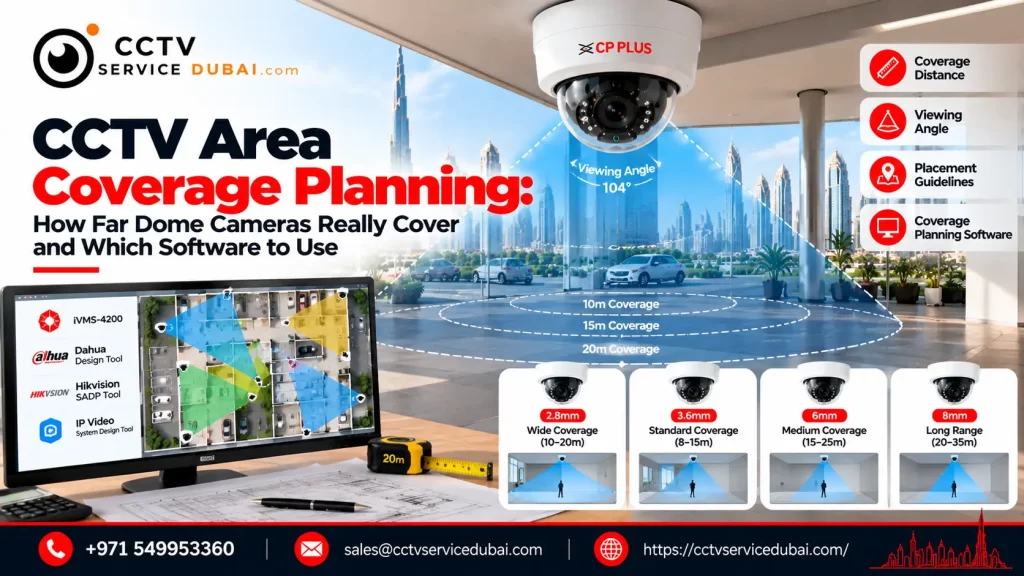
Planning effective CCTV area coverage is not simply about choosing a camera with a high megapixel count. A camera might show a wide area on screen but still fail to capture enough detail to identify a person or read a vehicle registration plate.For homes, offices, shops, warehouses, and commercial properties in the UAE, proper CCTV area coverage depends on the camera lens, resolution, mounting height, viewing angle, lighting, and the level of detail required. Dome cameras are popular for indoor and outdoor surveillance, but how far can they really see? And which software can help you plan camera positions before installation?This guide explains dome camera coverage, field of view, blind spots, camera placement, and CCTV coverage software to help you plan a more effective security system. What Does CCTV Area Coverage Actually Mean? CCTV area coverage describes the physical area visible to a camera and the level of detail it can capture within that area. There are two important considerations: Field of view (FOV): How much of the scene the camera can see. Useful image detail: Whether the footage provides enough information to detect movement, recognize a person, or identify a subject. A wide-angle camera may cover an entire room, but distant faces can appear too small for identification. A narrower lens may capture more detail in a specific location but leave other areas outside its view. Effective CCTV area coverage means balancing the viewing area with the detail needed for the security objective. Add Your Heading Text Here There is no single distance that applies to every dome camera. Actual coverage depends on the lens, sensor, resolution, lighting, camera position, and the size of the object being observed. Wide-angle dome cameras A wide-angle dome camera is useful for covering rooms, reception areas, corridors, and entrances. It can capture a broad scene from a suitable mounting position. However, widening the field of view spreads the available image detail across a larger area. People at the far end of a large room may be visible without being identifiable. Varifocal dome cameras A varifocal dome camera allows its lens to be adjusted across a supported focal-length range. This helps installers choose between a wider view and a narrower view with more detail concentrated on a particular area. For example, a reception desk may need a focused view of visitors, while a corridor may benefit from broader coverage. Infrared dome cameras Infrared-equipped dome cameras can support monitoring in low-light or dark environments, subject to their specifications. The manufacturer’s rated infrared distance is not a guarantee that a face will be identifiable at that distance. Scene reflectivity, ambient light, lens selection, and the available pixels all affect the result. When planning CCTV area coverage, select the camera according to the actual task rather than relying only on its advertised night-vision range. What Factors Affect CCTV Area Coverage? Several factors determine how much useful coverage a camera can provide. 1. Lens focal length: A shorter focal length generally produces a wider view, while a longer focal length provides a narrower, more magnified view. 2. Camera resolution: More pixels can provide greater detail, provided the lens, lighting, and recording configuration support it. 3. Mounting height: Mounting a camera too high can make faces harder to identify because the viewing angle becomes steeper. 4. Camera angle: The direction of the camera affects which objects are visible and how much detail is captured. 5. Lighting: Backlighting, glare, shadows, and poor night-time illumination can reduce image quality. 6. Obstacles: Walls, pillars, shelves, vehicles, and furniture can block important parts of the scene. A professional CCTV area coverage plan considers these factors together instead of choosing camera positions based only on convenience. What Is the Difference Between Detection, Recognition and Identification? Camera planning often uses the DORI framework: Detection, Observation, Recognition, and Identification. Axis Communications references the following pixel-density guidelines for visible-light surveillance cameras, based on the relevant IEC standard: DORI level Indicative pixel density Practical purpose Detection 25 pixels/metre Determine that someone or something is present Observation 63 pixels/metre Observe general characteristics and activity Recognition 125 pixels/metre Recognize a familiar person or object Identification 250 pixels/metre Support identification with greater image detail These are planning guidelines, not guarantees of identification. Actual results can vary with lighting, movement, image compression, camera positioning, and the target itself. For CCTV area coverage, decide what each camera must achieve. A camera monitoring general movement in a warehouse may have different requirements from one covering a cash counter or entrance. How Should You Plan Dome Camera Placement? Good placement reduces blind spots and makes better use of the available cameras. For homes and villas Prioritize main entrances, accessible windows, parking areas, and important perimeter access points. Indoor domes may suit hallways, entrances, and shared indoor spaces. For offices and retail shops Plan coverage for reception areas, entrances, corridors, cash-handling points, and restricted rooms, while respecting privacy requirements. For warehouses and factories Consider loading bays, stock areas, dispatch points, building entrances, and long corridors. Larger environments may need a mix of dome, bullet, and PTZ cameras. For every proposed location, check whether doors, shelving, columns, or vehicles could obstruct the view. An effective CCTV area coverage plan also considers overlapping views at critical entrances. This can preserve useful coverage if one camera is obstructed or temporarily unavailable. What Is CCTV Coverage Software? CCTV coverage software helps you plan camera positions and estimate what each camera will see before installing the equipment. Depending on the tool, it can support: Uploading floor plans or site maps Placing cameras at proposed locations Visualizing fields of view Estimating image detail at different distances Identifying potential blind spots Comparing cameras and lens options Estimating bandwidth and storage Preparing layouts and project documentation Using CCTV coverage software can reduce guesswork, improve quotations, and help installers explain the expected result to a customer. However, a software simulation is still a planning estimate. The completed installation must be tested under the actual lighting and site conditions. Which CCTV Coverage Software Should You
CP Plus Camera App for PC: Download, Setup, Live View & Playback Guide
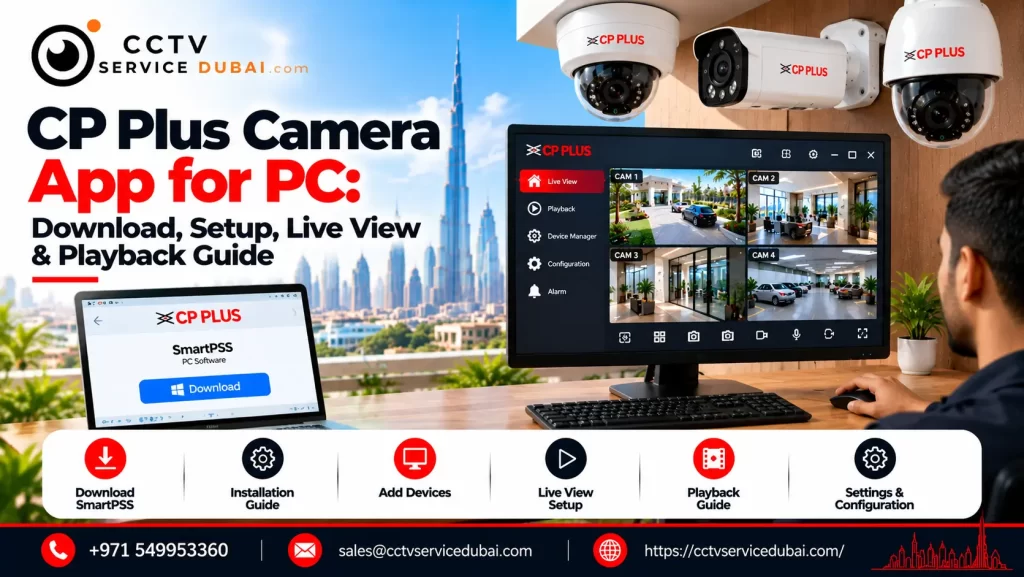
Monitoring CCTV cameras on a computer is useful when you need a larger display, multiple camera feeds, or quick access to recorded footage. If you have a CP Plus DVR, NVR, or IP camera, you need software compatible with your device to watch and manage the system from your Windows PC. The CP Plus camera app for PC is commonly searched for by homeowners, shop owners, office managers, and CCTV technicians who want to monitor their cameras without relying only on a mobile phone. CP Plus provides desktop software options, including KVMS Pro Lite, IP Finder, and Smart Player, through its official software portal. The correct choice depends on whether you need live viewing, device configuration, or playback of exported recordings. This guide explains how to download the CP Plus camera app for PC, connect your CCTV system, view multiple cameras, troubleshoot connection issues, and choose the right software. Which Is the Best CP Plus Camera App for PC? For a Windows computer, the most appropriate option depends on what you want to do. Software Main purpose When to use it KVMS Pro Lite Centralized CCTV management Live viewing, supported device management and playback CP Plus IP Finder Discovering devices on the local network Finding compatible cameras and checking IP addresses CP Plus Smart Player Playing exported recordings Reviewing saved CCTV video files Recorder web interface Accessing supported device functions through a browser Configuration and viewing on compatible models You can find these utilities through the official CP Plus software download page. The available software and supported versions may vary by product. For most users who want to monitor several cameras on a Windows computer, KVMS Pro Lite is the first option to investigate. How to Download the CP Plus Camera App for PC To download the CP Plus camera app for PC, use the manufacturer’s official software portal rather than third-party download websites. Follow these steps: Visit the CP Plus official software page. Locate KVMS Pro Lite in the software list. Check the available version and download information. Confirm that the software is compatible with your Windows version and CCTV device. Download and install the software according to the provided instructions. Launch the application and prepare your DVR, NVR, or supported IP camera details. If the software page does not display a working download link, use the CP Plus product documentation portal and search using your device’s model number. Important: Avoid downloading unknown executable files from unofficial websites. Verify the publisher and scan downloaded files before installation. Is gCMOB the Same as the CP Plus Camera App for PC? No. This is an important distinction. gCMOB is CP Plus’s mobile surveillance application for Android, while iCMOB is intended for iOS. Their mobile features include live view, playback, notifications, and supported device management. The official CP PLUS gCMOB listing on Google Play describes its surveillance functions. If you are looking for the CP Plus camera app for PC, do not assume that the mobile app is a native Windows application. Use KVMS Pro Lite or a supported browser interface for desktop access. An Android emulator is sometimes used to run mobile apps on a computer, but it is generally better to check the official PC software and model compatibility first. How to Set Up CP Plus CCTV Software on Windows Once you have installed the appropriate CP Plus camera app for PC, the next step is adding your CCTV device. You will generally need the recorder or camera’s IP address, username, password, and connection details. Step 1: Connect the recorder to your network Connect your CP Plus DVR or NVR to the router or network switch using an Ethernet cable. Ensure that the recorder is powered on and that the PC can reach the same network. Step 2: Find the recorder’s IP address If you do not know the device’s address, the official CP Plus software portal provides CPPLUS_IP Finder_Eng_Win. Use IP Finder to help discover compatible devices on the local network. If necessary, consult the recorder’s manual to configure network settings. Step 3: Add the device in KVMS Pro Lite Open KVMS Pro Lite and locate its device-management section. Depending on the software version, you may be able to add the recorder by IP address or domain and enter its port and login credentials. Save the configuration and check the connection status. Step 4: Open live view After the device connects, select the camera channels you want to view. Confirm that video appears correctly and that the stream remains stable. These steps provide the basic process for using the CP Plus camera app for PC. Menu names and supported device functions can differ between software releases. How to View Multiple CP Plus Cameras on a PC One advantage of desktop CCTV software is the ability to display several cameras on a single monitor. With a compatible CP Plus camera app for PC, you can organize supported camera feeds into a grid for monitoring entrances, parking areas, stockrooms, office corridors, or other locations. For a smoother experience: Use a PC that meets the software’s system requirements. Connect the computer through a reliable network. Reduce the number of simultaneous streams if video becomes choppy. Use a suitable substream for multi-camera viewing where supported. Select the main stream when higher image detail is needed. The actual number of simultaneous cameras depends on the software version, computer performance, network bandwidth, and camera specifications. How to Play Recorded CCTV Footage on a PC Live monitoring is only one part of a CCTV system. Reviewing recorded events is equally important. A compatible CP Plus camera app for PC may provide playback directly from the DVR or NVR. To review footage: Open the connected device in the CCTV client. Select the playback or record-search function. Choose the camera channel. Enter the date and time range. Search for available recordings. Play the required footage. If you have already exported a video file from the recorder, CP Plus Smart Player may be the appropriate utility for playback,
CP Plus Camera Installation Price in UAE: 2026 Cost Guide
If you’re planning to install CCTV at your home, office, shop, or warehouse, understanding the CP Plus camera installation price helps you prepare a realistic budget before purchasing equipment. CP Plus offers different surveillance options, including analog HD cameras, IP cameras, Wi-Fi cameras, DVRs, NVRs, and multi-camera systems. The final cost depends on the camera type, number of cameras, recording equipment, cabling, storage, and installation requirements. In the UAE, you can find individual CP Plus cameras at relatively affordable prices, but a complete CCTV installation costs more because it may include a recorder, hard disk, cables, power supplies, configuration, and labour. This guide explains the CP Plus camera installation price in the UAE, compares equipment costs, and shows you what to check before accepting a quotation. How Much Does CP Plus Camera Installation Cost in UAE? The CP Plus camera installation price depends mainly on the number of cameras, system type, and complexity of the installation. For budgeting, the following ranges can provide a starting point. CCTV installation type Indicative budget 1–2 cameras for a small area AED 500–1,200 4-camera basic HD system AED 1,200–2,500 4-camera higher-resolution IP system AED 1,800–3,500 8-camera residential or small-business system AED 2,500–5,000 8–16 cameras for a larger business AED 4,000–8,000+ These are indicative UAE budgeting estimates, not verified CP Plus installation package quotations. Final prices depend on site conditions, equipment specifications, cable routes, storage, and labour. General UAE installation guides publish comparable ranges for standard CCTV packages. For a small apartment, a simple system may be sufficient. A villa with several outdoor entry points or a commercial property with longer cable routes can require a larger budget. Always request a site-specific quotation before making a final purchasing decision. What Is the Price of Individual CP Plus Cameras in UAE? Before calculating the CP Plus camera installation price, it helps to understand how much the individual components cost. Recent UAE retail listings provide the following examples: CP Plus product Example listed price CP Plus 2.4MP HD analog bullet camera AED 51 CP Plus 2MP HD IR network dome camera AED 92 CP Plus 5MP HD IR dome camera AED 113 CP Plus 4MP Wi-Fi camera AED 115 CP Plus 4-channel DVR AED 125 CP Plus 8-channel DVR AED 200–285 CP Plus 8-channel PoE NVR AED 520 These prices are listed by Cost to Cost UAE and may change with stock, promotions, and model availability. Important: These are examples of equipment prices, not complete installation costs. A DVR or NVR also needs compatible cameras and suitable storage if recordings are required. Cables, connectors, power supplies, configuration, and labour may be additional. The exact model matters because two cameras with similar resolution can differ in night vision, audio, weather protection, smart detection, and network compatibility. What Is Included in a CP Plus CCTV Installation Package? When comparing the CP Plus camera installation price, check whether the quotation covers the complete working system or only the cameras. A typical wired CCTV package may include: CP Plus cameras Compatible DVR or NVR Surveillance hard disk Video or network cables Power supplies and connectors Mounting accessories Camera installation Recorder configuration Mobile viewing setup Testing and basic user training Some quotations exclude storage, long cable runs, concealed wiring, additional switches, or civil work. A low initial quotation may therefore become more expensive once these items are added. Ask the installer to itemize the equipment, materials, installation labour, warranty, and any exclusions. This makes the CP Plus camera installation price easier to compare between suppliers. Does Analog or IP CCTV Affect the Installation Price? Yes. The system architecture can affect both equipment cost and installation work. Analog HD cameras Analog HD cameras connect to a compatible DVR, commonly using coaxial cabling. They may be cost-effective when upgrading an existing analog CCTV installation, particularly if usable cabling is already available. IP cameras IP cameras communicate over a network and commonly connect through Ethernet. A PoE system can carry data and power over one cable when compatible equipment is used. IP installations may require network switches, additional network configuration, or different cabling arrangements. Wi-Fi cameras Wi-Fi cameras can reduce the need for data cabling in suitable locations, but they still need power unless they are battery-powered. They may be convenient for apartments and smaller homes, although wireless signal strength and internet reliability must be considered. The right choice depends on the property and recording requirements—not simply the cheapest camera price. Which Factors Increase CP Plus Camera Installation Price? Several factors influence the total cost of a project. Number of cameras: More cameras require additional equipment, mounting points, and installation work. Resolution: Higher-resolution cameras can increase equipment and storage requirements. Cable distance: Long routes between cameras and the recorder may require more cable, containment, labour, or intermediate network equipment. Installation height: Cameras mounted on high walls, poles, or warehouse ceilings may require specialist access equipment. Hard disk capacity: The storage requirement depends on the number of cameras, resolution, frame rate, compression, and retention period.Remote viewing: Mobile access may require additional configuration, network troubleshooting, and account setup. Outdoor requirements: Weather-resistant cameras, protected cable entries, and suitable mounting accessories can affect the equipment cost.These details should be checked before agreeing on the final CP Plus camera installation price. How Much Does a Four-Camera CP Plus System Cost? A four-camera installation is often suitable for a small shop, apartment, or compact office.For example, a basic configuration might contain four analog cameras, a compatible four-channel DVR, a surveillance hard disk, cabling, power supplies, and installation.An IP system may instead use four network cameras, a compatible NVR, PoE equipment where needed, and Ethernet cabling.A complete four-camera system should therefore be priced as a package rather than calculated by multiplying the individual camera price by four.When checking the CP Plus camera installation price for four cameras, confirm whether the quotation includes recording equipment, storage, cable lengths, installation, and mobile viewing. How Much Does an Eight-Camera CP Plus System Cost? An eight-camera system can be more suitable for a villa, restaurant,