

Types of Security Camera Systems in UAE: Complete Guide to CCTV Cameras

What Are the Different Types of Security Camera Systems in UAE? The types of security camera systems in UAE have expanded significantly as surveillance technology has developed. Businesses and homeowners can now choose from traditional CCTV, IP cameras, wireless cameras, PTZ cameras, dome cameras, bullet cameras, and several specialized options. Choosing the right camera isn’t simply about buying the highest-resolution model. The best option depends on where the camera will be installed, what you need to monitor, lighting conditions, recording requirements, connectivity, and budget. A good CCTV system should provide the right combination of: Camera coverage Image quality Night visibility Recording Storage Connectivity Reliability Ease of maintenance What Are the Main Types of CCTV Cameras? There are several different types of surveillance cameras, each designed for particular applications. The most common include: Dome cameras Bullet cameras IP cameras PTZ cameras Wireless cameras Turret cameras Indoor cameras Outdoor cameras Thermal cameras Specialty cameras The right choice depends on the environment and security objective. For example, a small indoor office may only need compact dome cameras, while a large outdoor property may require weather-resistant bullet cameras or PTZ cameras. What Are Dome CCTV Cameras? Dome cameras have a rounded housing and are commonly installed on ceilings or walls. They are popular for indoor applications because they can provide a relatively discreet appearance. Common applications: Offices Retail stores Hotels Reception areas Corridors Residential properties Dome cameras are available in different resolutions and configurations, including models designed for low-light environments. What Are Bullet CCTV Cameras? Bullet cameras have a more visible, elongated design and are commonly used for outdoor surveillance. They can be suitable for: Building entrances Parking areas Perimeters Warehouses Loading zones Many outdoor models are designed to withstand environmental exposure. The mounting position and camera angle should be carefully planned to avoid blind spots and unnecessary obstruction. What Are IP Security Cameras? IP cameras transmit video over a network instead of relying on traditional analog video connections. A typical IP CCTV setup can look like: IP Camera → Network Switch → NVR → Storage One major advantage is scalability. Additional cameras can often be added to an existing network infrastructure, depending on the system design. IP cameras can also support features such as: High-resolution video Remote viewing Motion detection Analytics PoE connectivity Network-based management They are widely used in modern offices, commercial buildings, warehouses, and residential properties. What Are Wireless CCTV Camera Types? Wireless CCTV camera types can transmit video without requiring a traditional wired video connection. Depending on the camera, wireless connectivity may use Wi-Fi or another wireless communication method. Wireless cameras can be useful where running cables is difficult or where a temporary installation is required. Advantages can include: Flexible placement Easier installation in some locations Reduced cable requirements Convenient remote viewing However, wireless doesn’t mean completely cable-free in every situation. Many cameras still require power, unless they use a battery or another power source. Wireless systems also depend on reliable network connectivity, so Wi-Fi coverage should be assessed before installation. What Is a Light Bulb Type Security Camera? A light bulb type security camera is designed to resemble a standard light bulb and can combine lighting and surveillance functionality. These cameras are often marketed for residential applications where users want a discreet-looking device. Depending on the model, features may include: Wi-Fi connectivity Mobile viewing Motion detection Two-way audio Pan and tilt Night vision They can be convenient for simple monitoring, but they aren’t necessarily the best option for every security requirement. For a business or property requiring continuous professional surveillance, a dedicated CCTV system may provide better coverage, storage, and management capabilities. What Are the Different Types of Indoor Security Cameras? The types of indoor security cameras available today include dome, turret, compact IP, Wi-Fi, and specialty cameras. Indoor cameras can be used in: Offices Shops Homes Reception areas Corridors Storage rooms When choosing an indoor camera, consider: Viewing Angle A wide-angle lens can cover a larger area, while a narrower lens may be better for focusing on a particular location. Resolution Higher resolution can provide more detail but may require additional storage and bandwidth. Lighting Consider whether the area has consistent lighting or becomes dark at night. Placement The camera should be positioned to avoid unnecessary obstructions. What Are the Types of Outdoor Security Cameras? The types of outdoor security cameras include bullet, dome, turret, PTZ, and specialized weather-resistant models. Outdoor cameras need to handle environmental conditions that indoor cameras don’t. Before choosing an outdoor camera, consider: Weather exposure Dust Temperature Lighting Mounting height Viewing distance Night visibility Required coverage Outdoor cameras should have appropriate environmental protection for the installation location. What Is a PTZ Security Camera? PTZ stands for Pan-Tilt-Zoom. These cameras can move horizontally, vertically, and zoom in on specific areas. They can be particularly useful for: Large parking areas Warehouses Industrial sites Large commercial properties Open outdoor spaces The main advantage is the ability to change the camera’s viewing direction. However, PTZ cameras should not automatically replace fixed cameras. A PTZ camera may be looking in one direction while an incident occurs elsewhere. For larger properties, combining fixed cameras with PTZ cameras can provide more comprehensive coverage. What Are Turret Cameras? Turret cameras are similar to dome cameras but generally use an adjustable camera mechanism within a compact housing. They are commonly used for both indoor and outdoor applications. Turret cameras can be useful for: Offices Shops Homes Warehouses Building entrances Their adjustable design can make it easier to position the lens accurately during installation. What Should You Know About CCTV Camera Types and Specifications? Understanding CCTV camera types and specifications is important before purchasing equipment. Don’t judge a camera based only on megapixels. Consider: Resolution Determines the amount of visual detail captured. Lens Affects the camera’s viewing angle and monitoring distance. Night Vision Important for areas that need surveillance in low-light conditions. Frame Rate Higher frame rates can produce smoother video but may increase storage requirements. Storage Higher-resolution cameras can generate more data.
Openpath Access Control: Complete Guide to Key Fob, Key Card & Building Entry Systems
What Is Openpath Access Control? Openpath access control is a modern electronic security solution designed to control who can enter a building, office, or restricted area. Openpath, now part of Motorola Solutions, is known for access-control solutions that can support mobile credentials, key cards, key fobs, and other access methods. Unlike traditional keys, electronic access control allows businesses to manage user permissions digitally. Depending on the system, administrators can: Add or remove users Assign access permissions Set access schedules Monitor access events Restrict specific doors Manage multiple locations Review entry records This makes electronic access control particularly useful for modern commercial properties. Why Do Businesses Need Electronic Access Control? Traditional keys can become difficult to manage as a business grows. If an employee loses a key, the business may need to replace or reissue physical keys. With electronic access control, administrators can typically deactivate a lost credential without changing the entire locking system. A well-designed system can help businesses manage: Employee access Visitor access Restricted areas Multiple entrances Employee schedules Access records This provides greater control than simply giving employees physical keys. What Is a Key Fob System for Business? A key fob system for business uses small electronic credentials that employees can present to an access reader to unlock an authorized door. A typical setup looks like: Key Fob → Access Reader → Controller → Electronic Lock → Door When an employee presents an authorized fob, the system verifies the credential and allows access if the user has the appropriate permission. Key fobs can be useful for: Offices Warehouses Retail stores Apartment buildings Commercial buildings Staff-only areas One major advantage is centralized credential management. If a fob is lost, it can generally be disabled through the access-control system. How Does a Key Card Entry System Work? A key card entry system uses a card containing an electronic credential. Employees present the card to a compatible reader installed near the door. The system checks whether the card is authorized for that particular door and access schedule. For example: Employee Card → Reader → Access Controller → Verification → Door Unlocks Key cards can be assigned to individual employees, making it easier to manage access permissions. They can also be useful when businesses need to provide temporary or restricted access to contractors, visitors, or specific departments. What Is a Key Fob Door Entry System? A key fob door entry system provides electronic access to individual doors using a programmed key fob. The system can be configured so that different employees have different permissions. For example: User Main Entrance Server Room Management Office Employee ✓ ✕ ✕ IT Manager ✓ ✓ ✕ Manager ✓ ✕ ✓ Security ✓ ✓ ✓ This type of permission structure is particularly useful for businesses with restricted areas. What Are Door Access Control Systems for Business? Door access control systems for business are designed to manage and restrict entry to specific areas. They can use different authentication methods, including: Key fobs Key cards PINs Fingerprints Facial recognition Mobile credentials A business can choose one method or combine several methods depending on its security requirements. For example, an office may use key cards for general employees while using biometric authentication for a highly restricted server room. What Types of Door Entry Systems Are Available? Modern door entry systems come in several forms. Key Card Systems Employees use access cards to enter authorized areas. Key Fob Systems Employees use small electronic fobs instead of cards. Biometric Systems Employees authenticate using fingerprints or facial recognition. Mobile Access Some modern systems allow smartphones to function as digital credentials. PIN-Based Systems Users enter a unique PIN to gain access. The right technology depends on the property, security requirements, employee workflow, and budget. What Are Building Access Control Systems? Building access control systems are designed to manage entry across multiple doors and areas within a property. A larger building may have: Main entrances Employee entrances Parking access Elevators Office floors Server rooms Storage areas Restricted departments Rather than managing every door separately, a centralized access-control platform can provide administrators with a single place to manage users and permissions. This is especially useful for commercial buildings with multiple departments or tenants. What Is a Key Fob Entry System for Buildings? A key fob entry system for buildings allows authorized users to access designated areas using electronic fobs. For example, a commercial building may use fobs for: Main entrance Parking gate Elevator access Office floors Staff-only areas Administrators can assign permissions based on the employee’s role. If an employee changes departments, their access permissions can be updated without replacing their physical key. What Are Commercial Key Fob Door Entry Systems? Commercial key fob door entry systems are designed for businesses that need controlled access across one or multiple doors. They can be particularly useful for: Offices Warehouses Retail stores Clinics Educational facilities Corporate buildings Industrial sites A commercial system should be selected based on the number of doors, number of users, authentication requirements, integration needs, and future expansion. Openpath vs Traditional Key Systems Electronic access control offers several advantages over traditional keys. Feature Traditional Key Electronic Access Control User management Manual Digital Lost credential Replace key Disable credential Access schedules Limited Available on many systems Access records Usually unavailable Available on many systems Multiple doors Difficult to manage Centralized options Remote management No Available on some systems Scalability Limited Generally easier Traditional keys may still be appropriate for certain applications, but electronic systems provide more control for businesses managing multiple employees and access points. What Is Kisi Access Control? Kisi access control is another modern access-control solution designed to help businesses manage electronic door access. Depending on the configuration, access can be managed through digital credentials and centralized administration. When comparing Kisi access control with Openpath or another platform, consider: Number of doors Number of users Credential options Cloud management Mobile access Reporting Integration Installation requirements Subscription costs Technical support The best system isn’t necessarily the most feature-rich one. It should be the one
Best Biometric Access Control System: How to Choose the Right One
What Is a Biometric Access Control System? The best biometric access control system allows businesses to control who can enter specific areas using unique biological characteristics such as fingerprints or facial recognition. Instead of relying only on traditional keys or access cards, biometric systems verify an individual’s identity before granting access. A typical system can include: Fingerprint or facial recognition terminal Access controller Electronic door lock Exit button Door sensor Access control software Power supply Network connection For businesses, this can provide both security and employee management from one system. Why Are Biometric Access Control Systems Popular? Traditional keys can be lost, while access cards can be shared or misplaced. Biometric authentication connects access to the individual using a registered biometric credential. Businesses can use biometric access control to: Restrict sensitive areas Monitor employee access Manage working hours Create access schedules Track entry and exit events Reduce unauthorized access Maintain digital access records For offices, warehouses, retail stores, and commercial buildings, this can make physical security easier to manage. What Makes a Good Access Control System? A good access control system should provide more than simply unlocking a door. Before selecting a system, consider: Authentication Does it support fingerprint, facial recognition, RFID cards, PINs, or multiple methods? User Capacity How many employees and users can the system handle? Access Levels Can administrators give different employees access to different areas? Time Schedules Can access be restricted according to working hours? Reporting Can managers view entry and exit records? Integration Can the system integrate with attendance, CCTV, or other security systems? Scalability Can additional doors and users be added later? Software Is the management software easy for administrators to use? These factors are often more important than choosing a system based purely on brand or price. What Is the Best Access Control System for an Office? The best access control system for office environments depends on the company’s size, security requirements, number of doors, and attendance needs. A small office may only require: Biometric Terminal + Door Lock + Access Software A larger organization may need: Multiple Readers + Controllers + Centralized Software + Attendance + CCTV Integration For offices, useful features can include: Employee access management Working-hour schedules Department-based permissions Visitor management Attendance reports Multiple-door management Remote administration If access control and time attendance are both required, choosing a platform that supports both functions can simplify administration. Fingerprint vs Facial Recognition: Which Is Better? Both technologies can be effective, but they suit different environments. Feature Fingerprint Facial Recognition Contactless No Yes Speed Fast Fast Physical contact Required Not required Employee convenience High High Hygiene considerations More relevant Lower contact Suitable for Offices, retail, general use Offices, high-traffic areas Enrollment Fingerprint registration Face registration Fingerprint Systems A fingerprint reader can be a practical option for businesses that want reliable employee identification at a relatively straightforward setup. Facial Recognition Facial recognition can be useful for businesses that prefer a contactless authentication experience. The choice should be based on the workplace environment, employee workflow, security requirements, and system capabilities. What Are the Benefits of Biometric Access Control? A biometric system can provide several advantages over traditional access methods. 1. Better Identity Verification The credential is linked to the registered individual. 2. Reduced Card Management Employees don’t necessarily need to carry physical access cards. 3. Detailed Access Records The system can maintain records of access events. 4. Flexible Permissions Administrators can assign access rights based on employees or departments. 5. Better Security Restricted areas can be protected using controlled authentication. 6. Attendance Integration Some biometric platforms can combine access control with employee attendance. What Are the Top 10 Access Control Systems? When researching the top 10 access control systems, avoid relying only on generic rankings. Different systems are designed for different business requirements. Instead, compare them based on: Biometric options User capacity Door capacity Software capabilities Cloud availability Attendance integration CCTV integration Mobile access Reporting Scalability A system that is excellent for a small office may not be suitable for a large enterprise. The “best” solution should therefore be determined by the requirements of the actual project. What Are the Best Cloud Based Access Control Systems? Best cloud based access control systems allow administrators to manage access remotely through an online platform. This can be useful for companies with: Multiple offices Multiple branches Remote administrators Distributed employees Several access-controlled doors Depending on the platform, administrators may be able to: Add or remove users Change access permissions Review access events Manage schedules Monitor multiple locations Generate reports Cloud access control can reduce the need for local management infrastructure, but businesses should evaluate internet dependency, cybersecurity, user permissions, data protection, and subscription costs. How Much Does a ZKTeco Time Attendance Machine Cost? The ZKTeco time attendance machine price varies depending on the model and features. Factors that can affect pricing include: Fingerprint capability Facial recognition User capacity Attendance features Display type Network connectivity Cloud capabilities Software Access-control functionality A basic attendance terminal and an advanced biometric access-control device can have significantly different specifications and prices. When comparing prices, don’t look at the hardware alone. Check whether the quotation includes: Device Software Installation Configuration Employee enrollment Network setup Training Warranty Technical support This gives you a more realistic picture of the total investment. Can Access Control and Time Attendance Work Together? Yes. This is one of the most useful features for businesses. A biometric terminal can potentially be configured to record both: Employee Identity → Door Access → Attendance Event For example, an employee arrives at the office and uses their fingerprint. The system can verify the employee, unlock the authorized door, and record the event for attendance purposes if the platform supports this functionality. This can reduce the need for separate attendance and access-control devices. How Do You Choose Among Access Control System Companies? When comparing top 10 access control systems companies, focus on the actual services and technical capabilities rather than simply looking at a company ranking. Ask potential providers: Do They Provide Site Surveys?
CCTV Installation in Sharjah & Ajman: How to Choose the Right Security System

Why Is CCTV Installation Important for Businesses in Sharjah & Ajman? Professional CCTV installation Sharjah solutions help businesses monitor entrances, workspaces, parking areas, storage facilities, and other important parts of a property. A CCTV system is more than a collection of cameras. It includes cameras, recording equipment, storage, cabling, network infrastructure, configuration, and maintenance. For businesses in Sharjah and Ajman, the right system should be designed according to: Property size Number of monitoring areas Indoor and outdoor requirements Lighting conditions Recording duration Network infrastructure Remote monitoring requirements Future expansion Installing more cameras isn’t always the answer. Correct camera placement and system design are what matter most. What Does Professional CCTV Camera Installation in Sharjah Include? CCTV camera installation Sharjah typically starts with a site survey before any equipment is installed. A professional installer should assess: Entrances and exits Blind spots Parking areas Perimeters Reception areas Cash counters Storage areas Lighting conditions Cable routes The installer can then recommend suitable cameras and recording equipment. A complete installation may include: Site survey Camera selection Camera positioning Cabling NVR/DVR installation Storage configuration Network setup Camera configuration Recording setup Testing and handover This approach reduces the risk of installing cameras that provide poor coverage or unnecessary overlapping views. Which CCTV Cameras Are Suitable for Sharjah Businesses? Different areas require different camera types. Dome Cameras Dome cameras are often suitable for indoor environments such as: Offices Reception areas Retail stores Corridors Their compact design can make them suitable where a discreet installation is preferred. Bullet Cameras Bullet cameras are commonly used for outdoor applications. They can be considered for: Building entrances Parking areas Loading zones External perimeters PTZ Cameras PTZ cameras can pan, tilt, and zoom, making them useful for larger areas where active monitoring is required. IP Cameras IP cameras transmit video through a network and can provide a scalable solution for modern commercial properties. The right camera depends on the viewing distance, lighting, coverage area, and security objective. How Does CCTV Installation in Ajman Work? The basic process for CCTV installation in Ajman is similar to other professional CCTV projects. However, the system should still be designed according to the specific property and applicable local requirements. A typical project follows these steps: Step 1: Site Assessment Identify the areas that require surveillance. Step 2: Camera Planning Determine the number, type, and position of cameras. Step 3: Equipment Selection Choose cameras, recording equipment, storage, switches, cables, and accessories. Step 4: Cabling Install the required network or coaxial cabling. Step 5: Camera Installation Mount and adjust the cameras according to the planned viewing angles. Step 6: Recorder Configuration Set up the NVR or DVR and configure storage. Step 7: Network Configuration Configure network connectivity and remote viewing where required. Step 8: Testing Check live view, recording, playback, camera angles, and night-time performance where applicable. Step 9: Handover Provide the customer with basic system training and relevant documentation. What Should You Know About Ajman Police Approved CCTV Companies? Businesses searching for Ajman police approved CCTV companies should verify the current requirements that apply to their particular project. Approval or compliance requirements can depend on the type of property, project, security system, and applicable authority requirements. Before starting installation, businesses should confirm: Required camera specifications Recording requirements Installation requirements System approval requirements Applicable documentation Any required integration Don’t rely solely on a company’s claim that it is “approved.” Ask for appropriate evidence and verify requirements through the relevant authority when necessary. This is especially important for commercial projects where compliance is part of the project scope. How Do You Choose a CCTV Company in Sharjah or Ajman? There are many CCTV companies in UAE, but not every provider will be suitable for every project. When comparing installers, look at more than equipment pricing. Check Installation Experience Ask whether the company has completed similar commercial or residential projects. Review Equipment Make sure the cameras, recorder, storage, switches, and other components are compatible. Ask About Cabling Good cable management can make future maintenance easier. Confirm Configuration The provider should configure recording, storage, network settings, users, and remote access where required. Check Testing Every camera should be tested before the project is handed over. Ask About Maintenance Find out whether the company provides ongoing support or CCTV AMC services. Check Warranty Understand what is covered for both equipment and installation. Is Hikvision a Good Option for Ajman? Hikvision Ajman solutions can be considered for different residential and commercial surveillance applications. Hikvision offers a broad range of products, including: IP cameras Dome cameras Bullet cameras PTZ cameras NVRs Video management solutions However, selecting a brand is only one part of the decision. The specific camera should match the application. For example: Office: Indoor dome cameras + NVR Warehouse: Bullet cameras + wide-area coverage Large property: Multiple camera types + centralized recording Parking area: Outdoor cameras with appropriate night-time performance The system should be designed around the property’s security requirements rather than choosing a model simply because it has a higher resolution. What Affects CCTV Installation Cost in Sharjah and Ajman? There isn’t a standard price for every CCTV project. The total cost can depend on: Number of cameras Camera resolution Camera type Recording requirements Storage capacity Cable length Building layout Installation complexity Network infrastructure Remote viewing Maintenance requirements For example, a small office with four cameras will have very different requirements from a warehouse requiring 30 cameras and multiple monitoring areas. What Should a CCTV Quotation Include? Component What to Check Cameras Brand, model & quantity Recorder NVR/DVR model Storage Capacity & retention Cabling Type & quantity Network equipment Switches/PoE Installation Labour included Configuration Included Testing Included Warranty Duration Maintenance Available Always compare the complete project scope, not simply the price per camera. How Much CCTV Storage Does Your Business Need? Storage depends on: Number of cameras Resolution Frame rate Compression Recording schedule Motion detection Required retention period Continuous recording requires more storage than motion-based recording. For example, a business with 20 cameras recording 24/7 will have significantly higher storage
CCTV Installation in Abu Dhabi: Complete Guide to Choosing the Right Security System
What Should You Know About CCTV Installation in Abu Dhabi? CCTV installation in Abu Dhabi involves much more than mounting cameras around a property. A professional surveillance system needs the right cameras, recording equipment, storage, network infrastructure, positioning, configuration, and ongoing maintenance. Whether you’re securing an office, villa, retail store, warehouse, or commercial building, the system should be designed around the property’s actual security requirements. A properly planned CCTV system can help with: Monitoring entrances and exits Protecting restricted areas Recording security events Monitoring employees and visitors Reviewing incidents Improving overall site visibility Why Do Businesses Need CCTV in Abu Dhabi? Security requirements can vary significantly between properties. An office may primarily need cameras at entrances, reception areas, corridors, and parking spaces. A warehouse may require wider coverage around loading bays, storage areas, and external boundaries. A professional CCTV Abu Dhabi solution can provide continuous video surveillance while giving authorized users access to recorded footage when required. Common CCTV applications include: Offices Shops Warehouses Hotels Restaurants Villas Schools Factories Construction sites Commercial buildings The goal isn’t necessarily to install the maximum number of cameras. It’s to install the right cameras in the right locations. What Does Professional CCTV Installation Include? A complete CCTV installation in Abu Dhabi project typically includes several stages. 1. Site Survey The installer assesses: Property layout Entrances and exits Lighting conditions Blind spots Camera mounting locations Cable routes Network infrastructure 2. Camera Selection The right camera type is selected based on the location and required coverage. 3. Recording System An NVR or DVR is selected according to the camera technology and number of channels. 4. Storage Planning The system needs enough storage for the required recording period. 5. Cabling Cables are installed and organized according to the system design. 6. Camera Installation Cameras are mounted and adjusted to achieve the required viewing angle. 7. Configuration Recording schedules, motion detection, users, network settings, and remote viewing are configured. 8. Testing Every camera and recording channel should be tested before handover. Which CCTV Cameras Are Suitable for Abu Dhabi Properties? Different areas require different camera types. Dome Cameras Dome cameras are commonly used indoors and can provide a discreet installation. They can work well in: Offices Reception areas Retail stores Corridors Bullet Cameras Bullet cameras are often suitable for outdoor applications where a visible camera presence is preferred. They can be used around: Building entrances Parking areas Perimeters Loading zones PTZ Cameras PTZ cameras can pan, tilt, and zoom, making them useful for larger areas where active monitoring is required. IP Cameras IP cameras transmit video through a network and can provide a scalable solution for modern commercial surveillance systems. The appropriate camera depends on the viewing distance, lighting, coverage area, environmental conditions, and recording requirements. How Much Does CCTV Camera Installation Cost in Abu Dhabi? The cctv camera price in Abu Dhabi can vary considerably depending on the system specification. There isn’t one fixed price because a complete CCTV project may include: Cameras NVR/DVR Hard drives PoE switches Network cables Racks Power supplies Mounting accessories Installation Configuration Testing Maintenance What Affects CCTV Cost? Factor Impact on Cost Number of cameras More cameras increase equipment and installation requirements Camera resolution Higher specifications can increase equipment cost Camera type PTZ and specialized cameras may cost more Storage Longer retention requires more storage Cabling Complex buildings require more installation work Network Additional switches or infrastructure may be required Installation Difficult mounting locations can increase labor Integration Access control or other integrations add complexity For an accurate quotation, a site survey is much more useful than relying on a generic camera price. How Do You Choose CCTV Companies in Abu Dhabi? There are many CCTV companies in Abu Dhabi, so businesses should compare more than just the quotation. Before choosing a provider, consider: Experience Has the company worked on properties similar to yours? Product Knowledge Can the installer explain the differences between available camera models? Installation Quality Does the team follow proper cable management and mounting practices? Configuration Will the NVR, cameras, network, storage, and remote access be properly configured? Testing Will the entire system be tested before handover? Warranty What equipment and installation work is covered? Maintenance Does the company provide ongoing technical support or AMC services? A good CCTV provider should be able to support the system after installation—not disappear once the invoice is paid. Is Hikvision a Good Option for Abu Dhabi CCTV? Hikvision Abu Dhabi solutions are commonly considered by businesses looking for a broad range of CCTV equipment. Hikvision offers various surveillance products, including: IP cameras Network video recorders PTZ cameras Dome cameras Bullet cameras Video management solutions However, the brand alone shouldn’t determine the purchase. The right model should be selected based on: Required resolution Lens type Night vision Storage requirements Network infrastructure Viewing distance Indoor or outdoor application Future expansion Other brands, including Dahua and other established manufacturers, can also be considered depending on the project. What Is the Difference Between CCTV and IP CCTV? Traditional CCTV systems generally use coaxial cabling to transmit video to a DVR. IP CCTV uses network connectivity to transmit video to an NVR or other compatible recording platform. Traditional CCTV IP CCTV Usually uses coaxial cable Uses network cabling DVR-based NVR/network-based Suitable for many existing systems Strong option for new networked installations Separate power may be required PoE can combine power and data Expansion depends on system Can be highly scalable For new commercial projects, IP CCTV can be attractive because it can integrate with existing network infrastructure and support technologies such as PoE. What Is PoE and Why Is It Useful? Power over Ethernet (PoE) allows compatible devices to receive power and data through a single Ethernet cable. This can simplify the installation of IP cameras. A typical setup can look like: IP Camera → Ethernet Cable → PoE Switch → NVR/Network PoE can reduce the need for separate power cabling, although the camera, switch, cable, and power budget must all be compatible. How Much CCTV
Hikvision in Dubai: How to Choose the Right CCTV System, Dealer & Installer
Why Is Hikvision Popular in Dubai? Hikvision in Dubai is a popular search among businesses and property owners looking for reliable surveillance solutions. Hikvision offers a broad range of security products, including network cameras, recording systems, video management platforms, and related security technologies. The right CCTV system depends on factors such as: Property size Number of cameras Indoor or outdoor coverage Required image quality Night-time monitoring Storage requirements Remote viewing Existing network infrastructure Future expansion Choosing the camera first and thinking about the rest later can lead to unnecessary costs. A better approach is to plan the complete surveillance system around the property’s actual security requirements. What Should You Know About Hikvision CCTV Systems? Hikvision provides different types of surveillance equipment for residential, commercial, and industrial applications. Common CCTV options include: IP Cameras IP cameras transmit video through a network and can be suitable for modern business surveillance systems. Dome Cameras Dome cameras are commonly used indoors and in areas where a compact design is preferred. Bullet Cameras Bullet cameras can be suitable for outdoor areas and locations where a more visible camera presence is useful. PTZ Cameras PTZ cameras can pan, tilt, and zoom, making them useful for monitoring larger areas where camera movement is required. NVR Systems Network Video Recorders store footage from compatible IP cameras and provide centralized recording and management. The appropriate combination depends on the property rather than simply selecting the most expensive camera. How Do You Choose Hikvision Dealers in Dubai? Finding Hikvision dealers in Dubai is relatively easy, but choosing the right supplier requires more consideration. Before purchasing, check: Product authenticity Warranty coverage Model specifications Availability of replacement equipment Technical support Installation services Configuration support After-sales service A CCTV supplier should be able to explain why a particular camera or recorder is suitable for your application. For example, an office entrance may have very different requirements from a warehouse perimeter. What Should You Check Before Buying Hikvision CCTV? Don’t compare cameras based only on megapixels. Consider the complete specification. 1. Resolution Higher resolution can provide more image detail, but it also increases storage and bandwidth requirements. 2. Night Vision Check how the camera performs in low-light conditions. 3. Field of View The lens determines how much of an area the camera can cover. 4. Storage Calculate how many days of recording your business needs. 5. Network Requirements IP cameras require appropriate network infrastructure. 6. Weather Protection Outdoor cameras should be suitable for the installation environment. 7. Remote Viewing If remote monitoring is required, confirm that the selected system supports it. 8. Scalability Consider whether additional cameras may be required later. Is Hikvision Better Than Dahua? This is one of the most common questions when comparing CCTV brands. Hikvision and Dahua both offer extensive surveillance product ranges, so there isn’t one brand that is automatically better for every project. Factor Hikvision Dahua Product range Broad Broad IP cameras Available Available NVR systems Available Available Business applications Yes Yes Remote monitoring Supported on suitable systems Supported on suitable systems Scalability Depends on system Depends on system Best choice Project dependent Project dependent If you’re researching Dahua Dubai solutions, compare the specific camera models and system capabilities rather than choosing purely based on brand reputation. The most important factors are image requirements, storage, compatibility, installation quality, support, and budget. Where Can You Use Hikvision CCTV in Dubai? Hikvision systems can be considered for a wide range of applications. Offices Monitor entrances, reception areas, corridors, and other important locations. Retail Stores Cameras can help monitor entrances, sales floors, cash areas, and storage rooms. Warehouses Surveillance can cover loading areas, entrances, storage zones, and external perimeters. Residential Properties Cameras can be installed around entrances, driveways, parking areas, and other suitable locations. Commercial Buildings Larger properties may require multiple cameras, NVRs, network switches, and centralized management. The system should be designed according to the property’s layout and security objectives. What About Hikvision in Abu Dhabi and Ajman? Businesses researching Hikvision Abu Dhabi or Hikvision Ajman should follow the same basic principle: choose the equipment based on the project requirements rather than location alone. The system may require different camera types depending on the application. For example: Office: Dome cameras + NVR + indoor monitoring Warehouse: Bullet cameras + NVR + perimeter coverage Large commercial property: Multiple camera types + network infrastructure + centralized recording Before installation, check the applicable local requirements for the property and project. What Do CCTV Suppliers in Dubai Provide? Professional CCTV suppliers in Dubai may provide more than cameras. A complete CCTV project can include: Cameras NVR/DVR Hard drives Network switches PoE switches Cables Racks Monitors Power supplies Mounting accessories CCTV software Some suppliers also provide: Site surveys CCTV installation System configuration Remote viewing setup Maintenance AMC services Buying all components as a compatible system can reduce configuration and compatibility problems. Should You Buy CCTV From a Dealer or Installer? It depends on the project. For a simple replacement, purchasing equipment separately may be sufficient if you already have technical expertise. For a new commercial installation, working with a supplier and installer can make the process easier. A professional installer can handle: Site survey Camera positioning Cable planning Equipment selection Installation NVR configuration Network setup Remote viewing Testing User training This is particularly important for larger systems. How Do You Choose CCTV Dealers in Dubai? When comparing CCTV dealers in Dubai, look beyond product pricing. Check Product Compatibility Make sure cameras, recorders, storage, switches, and software work together. Ask About Installation Find out whether professional installation is available. Check Warranty Understand the warranty period and what it covers. Ask About Maintenance CCTV requires periodic inspection and troubleshooting. Review Technical Support Ask how the company handles system failures and configuration issues. Consider Future Expansion Choose infrastructure that can accommodate additional cameras if required. What Is the CCTV Installation Process? A professional CCTV installation normally follows a structured process. Step 1: Site Survey The installer examines the property and identifies important monitoring areas. Step 2: Camera
Network Cabling Services in Dubai: Complete Guide for Businesses
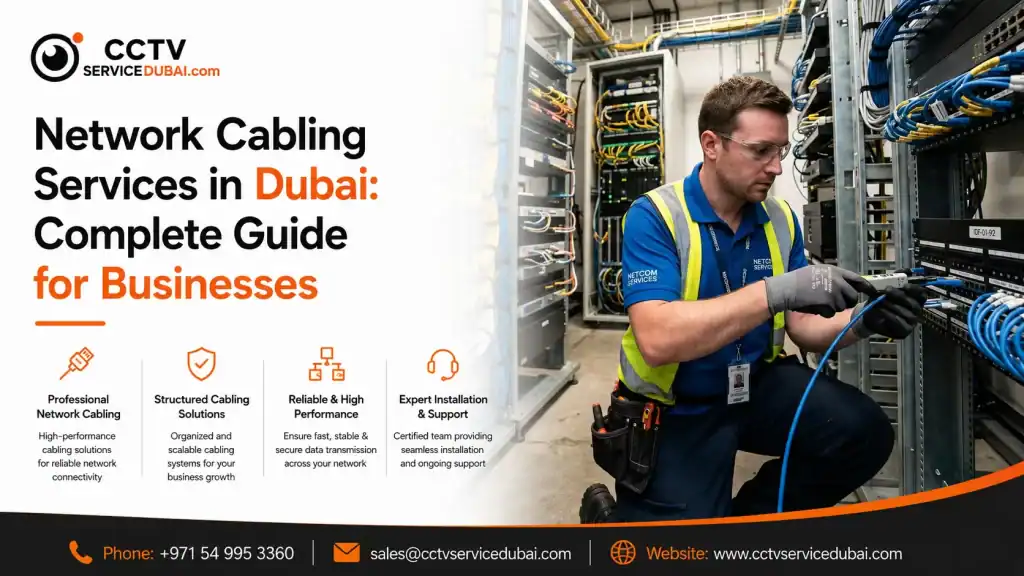
What Are Network Cabling Services in Dubai? involve designing, installing, testing, and maintaining the physical cabling infrastructure that connects computers, servers, Wi-Fi access points, CCTV cameras, access-control systems, and other network devices. A reliable network starts with good cabling. Poor-quality cables, incorrect installation, weak connections, or disorganized infrastructure can lead to slow network speeds, intermittent connectivity, and difficult troubleshooting. Professional cabling provides a structured foundation that can support your business as it grows. Why Is Network Cabling Important for Businesses? A business network depends on more than routers and switches. The physical infrastructure connecting these devices plays an important role in network performance and reliability. Professional cabling can help businesses achieve: Stable network connectivity Better network performance Organized infrastructure Easier troubleshooting Improved scalability Reduced cable-related problems Better equipment management Support for future upgrades For a new office, cabling should ideally be planned before employees and equipment are moved in. For an existing office, a cabling assessment can identify damaged, outdated, or poorly organized connections. What Do Network Cabling Services Include? A professional cabling project can involve much more than simply running cables from one room to another. Typical services include: Site Survey The installer evaluates the building layout, network requirements, equipment locations, and cable routes. Network Design A structured cabling plan is created based on the number of users, devices, network rooms, and future requirements. Cable Installation Cables are routed through appropriate pathways, ceilings, walls, conduits, or cable trays. Termination Cable ends are properly terminated at network outlets, patch panels, and other connection points. Testing Installed cables are tested to identify faults and confirm performance. Labeling Cable connections are clearly labeled to make future maintenance easier. Documentation A professional project should provide useful documentation showing cable routes, ports, and connections. Which Types of Network Cables Are Used? The right cable depends on network requirements and the environment. Common copper Ethernet categories include: Cat5e Cat6 Cat6A Fiber-optic cabling is another option for longer distances and high-bandwidth connections. Copper Cabling Copper Ethernet is commonly used for: Computers Printers IP phones Wi-Fi access points CCTV cameras Access-control devices Fiber Optic Cabling Fiber can be useful for: Server rooms Building-to-building connections Data centers High-bandwidth applications Longer cable runs The cable category should be selected based on the required performance, distance, equipment, and future expansion plans. What Is Structured Network Cabling? Structured cabling is an organized approach to designing and installing network infrastructure using standardized cabling, patch panels, outlets, racks, and connection points. Instead of running individual cables randomly around an office, structured cabling creates a more manageable infrastructure. A typical setup may look like: Internet → Firewall → Network Switch → Patch Panel → Network Outlet → Device This approach makes it easier to identify and manage individual connections. Why Should Businesses Use Professional Network Cabling Companies in Dubai? Hiring experienced network cabling companies in Dubai can help businesses avoid common installation problems. A professional team can assess: Office layout Number of users Network equipment Cable distances Server-room requirements Wi-Fi access-point locations CCTV requirements Access-control requirements Future expansion Poorly planned cabling can become expensive to correct later, particularly after walls, ceilings, furniture, and equipment have already been installed. Can Network Cabling Support CCTV and Access Control? Yes. Modern businesses often use the same structured infrastructure to support multiple technologies. Network cabling can support: IP CCTV Network cables can connect IP cameras to switches and recording systems. Access Control Network infrastructure can connect biometric terminals, controllers, and management systems. Wi-Fi Ethernet cabling provides network connections for wireless access points. VoIP IP phones can communicate through the business network. Computers and Printers Workstations and network printers can connect through structured Ethernet cabling. This is one reason why network infrastructure should be planned as part of the overall technology environment. What Is PoE and Why Is It Important? Power over Ethernet (PoE) allows compatible network devices to receive both data and electrical power through an Ethernet cable. PoE can simplify installations for devices such as: IP cameras Wireless access points VoIP phones Some access-control devices Instead of running separate power and network cables to each compatible device, a PoE-enabled network can deliver both through the Ethernet connection. However, the switch, cable, and connected device must support the required PoE standard and power requirements. How Does Professional Network Cabling Installation Work? A structured cabling project generally follows several stages. 1. Site Survey The installer examines the building and identifies: Workstations Network rooms Equipment racks Access points CCTV locations Cable pathways 2. Requirement Planning The number of network points and required cable types are determined. 3. Cable Route Planning The installer plans how cables will travel through the building while avoiding unnecessary bends, interference, and physical damage. 4. Cable Installation Cables are installed through appropriate pathways. 5. Termination Each cable is terminated at the correct patch panel and network outlet. 6. Labeling Ports and cables are labeled for easy identification. 7. Testing Every connection should be tested to identify faults. 8. Documentation The final installation should be documented so technicians can understand the infrastructure later. How Can Poor Cabling Affect a Business? Network problems aren’t always caused by internet providers or network equipment. Cabling can also be responsible. Common problems include: Loose connections Damaged cables Incorrect termination Poor-quality components Excessive cable length Poor cable management Physical damage Electromagnetic interference These issues can result in: Slow connections Intermittent connectivity Packet loss Device disconnections Network troubleshooting challenges Professional installation and testing can help identify these problems early. What Should You Consider Before Installing Network Cabling? Before starting a project, consider both current and future requirements. Number of Users How many employees need network connections? Number of Devices Consider: Computers Printers Phones CCTV cameras Wi-Fi access points Access-control devices Future Expansion Don’t design the network only for today’s requirements. If the company expects to add employees or devices, additional capacity can make future expansion easier. Server Room Plan sufficient space for: Racks Patch panels Switches UPS systems Cable management Cable Management Organized cable routing makes maintenance and troubleshooting easier. How
IT Security Companies in UAE: How to Choose the Right IT Partner
What Do IT Security Companies in UAE Do? IT security companies in UAE help businesses protect their networks, devices, applications, accounts, and business data from unauthorized access, malware, data loss, and other digital threats. Modern businesses rely on technology for almost every daily operation. Email, cloud applications, online payments, customer databases, employee devices, and internal networks all need appropriate protection. A professional IT security partner can help businesses with: Network security Firewall management Endpoint protection Access control Email security Backup and recovery Security monitoring Vulnerability assessments User access management Cybersecurity awareness The right approach depends on the size of the business, the type of data it handles, and its technology environment. Why Is IT Security Important for UAE Businesses? A security problem can quickly become a business problem. For example: Compromised account → Unauthorized access → Data exposure → Business disruption Businesses may also face operational problems when ransomware, hardware failure, or accidental deletion makes important files unavailable. A practical IT security strategy should therefore focus on both prevention and recovery. Important security measures include: Strong passwords Multi-factor authentication Firewalls Endpoint protection Regular software updates Access controls Secure Wi-Fi Employee awareness Reliable backups Monitoring No single security product can protect an organization from every threat. Security needs to be managed continuously. What Should the Best IT Services in UAE Include? The best IT services in UAE should be based on the actual needs of the business rather than a standard package. A comprehensive IT provider may offer: IT Support Help with computers, software, email, printers, networks, and user accounts. Network Management Network design, Wi-Fi, switches, routers, firewalls, and troubleshooting. Cybersecurity Protection for endpoints, networks, accounts, applications, and business data. Cloud Services Cloud migration, Microsoft 365, cloud storage, user management, and ongoing support. Backup & Disaster Recovery Protection against accidental deletion, hardware failure, cyber incidents, and other disruptions. IT Infrastructure Servers, workstations, networking equipment, structured cabling, and other infrastructure. Managed IT Services Ongoing monitoring, maintenance, security management, and technical support. A good provider should be able to scale these services as the business grows. What Are IT Solutions in Abu Dhabi? Businesses searching for IT solutions Abu Dhabi may be looking for anything from basic technical support to complete IT infrastructure. A professional IT solution can include: Network installation Server setup Cloud solutions Cybersecurity Wi-Fi infrastructure Structured cabling Backup Hardware Software IT support For example, a company opening a new office may need internet connectivity, firewall protection, network switches, Wi-Fi, structured cabling, computers, printers, cloud services, and cybersecurity. Planning these components together can create a more reliable infrastructure. Why Are Businesses Choosing IT Outsourcing in the UAE? IT outsourcing in UAE allows businesses to use an external technology provider instead of handling every IT requirement internally. This can be useful for small and medium-sized businesses that don’t want to maintain a large internal IT department. Outsourcing can provide access to specialists in: Networking Cybersecurity Cloud computing Servers Backup Hardware Software IT infrastructure Instead of hiring separate specialists for each area, a business can work with one provider that manages multiple IT functions. What Are the Benefits of IT Outsourcing? IT outsourcing can provide several practical advantages. 1. Access to Expertise Businesses can access specialists without hiring every role internally. 2. Predictable Costs Managed service agreements can make IT expenses easier to plan. 3. Faster Support A dedicated external team can respond to technical problems based on agreed service levels. 4. Scalability Services can be increased as the company adds employees, devices, or locations. 5. Proactive Monitoring Instead of waiting for a problem to become serious, the provider can monitor systems and identify potential issues. 6. Improved Security Businesses can access specialist cybersecurity knowledge and tools. When Should a Business Consider IT Outsourcing Abu Dhabi? Businesses considering IT outsourcing Abu Dhabi may benefit from outsourcing when their internal team cannot manage increasing technical requirements. It can be particularly useful when: The business has no dedicated IT team IT problems frequently disrupt employees Cybersecurity requirements are increasing The company is opening a new office Employees are working remotely Cloud services are expanding The business needs 24/7 monitoring Internal IT staff need additional support Outsourcing doesn’t necessarily mean replacing internal IT employees. An external provider can work alongside an internal team and provide additional technical expertise when required. What Is IT Outsourcing in Dubai? IT outsourcing companies in Dubai provide external technology services to businesses that need ongoing IT management or specialist support. Depending on the provider, services may include: Help desk support Network management Server management Cloud services Cybersecurity Backup Device management IT consulting Infrastructure management A business can outsource its complete IT environment or only specific functions. For example, a company might manage its own employees and applications internally while outsourcing network management and cybersecurity. How Do You Choose IT Outsourcing Companies in Dubai? Choosing an outsourcing partner requires more than comparing monthly prices. Before signing an agreement, evaluate: Technical Expertise Does the provider understand your existing technology? Service Coverage Can they handle networking, cloud, security, servers, and support? Response Time How quickly will they respond to critical issues? On-Site Support Can technicians visit your office when remote troubleshooting isn’t enough? Cybersecurity Does security form part of the managed service? Scalability Can the provider support additional users and locations? Reporting Will you receive regular reports about system performance and incidents? Service-Level Agreement Make sure response and resolution expectations are clearly documented. What Should an IT Outsourcing Agreement Include? A good outsourcing agreement should clearly define responsibilities. Important areas include: Services included Support hours Response times Resolution targets Escalation process On-site support Remote support Security responsibilities Backup responsibilities Hardware support Software support Reporting Pricing Contract terms Without clear responsibilities, misunderstandings can occur when a serious technical issue happens. How Can IT Outsourcing Improve Cybersecurity? Cybersecurity is one of the strongest reasons businesses consider outsourcing. An experienced IT provider can help manage: Endpoint Security Protect laptops, desktops, and other devices. Firewall Management Control and monitor network traffic. Multi-Factor Authentication Add another layer of
IT Services Company in Dubai: Complete Guide to Business IT Solutions
What Does an IT Services Company in Dubai Do? An IT services company in Dubai helps businesses build, manage, secure, and maintain their technology infrastructure. Services can range from everyday IT support and networking to cybersecurity, cloud solutions, server management, and complete IT infrastructure projects. For businesses, the goal is simple: keep technology reliable, secure, and aligned with business needs. A professional IT provider can help with: IT support Network infrastructure Wi-Fi solutions Server management Cloud services Cybersecurity Data backup Structured cabling Hardware and software IT system integration Why Do Businesses Need Professional IT Services? Technology problems can quickly become business problems. A slow network can delay employees. A server failure can stop access to important files. A security incident can expose sensitive information. Professional IT services help businesses reduce these risks through proactive management and technical support. Key benefits include: Reduced downtime Better network performance Improved cybersecurity Faster technical support Reliable data backup Scalable infrastructure Better employee productivity Instead of treating IT as an emergency expense, businesses can manage it as an important part of their operations. What Services Should an IT Company Provide? IT infrastructure companies in Dubai focus on the technology foundation that allows businesses to operate efficiently. Infrastructure can include: Servers Network switches Routers Firewalls Wi-Fi access points Structured cabling Storage Backup systems Workstations A well-designed infrastructure should support the company’s current requirements while leaving room for future growth. For example, a business opening a new office may need more than computers. It may require internet connectivity, firewall protection, switches, Wi-Fi, cabling, printers, servers, cloud services, and security systems. Planning these components together can reduce compatibility problems and unnecessary costs. What Do IT Networking Companies in Dubai Do? IT networking companies in Dubai help businesses design, install, secure, and maintain their network infrastructure. A professional network can include: Internet → Firewall → Router → Switches → Wi-Fi → Business Devices Networking services may include: LAN installation Wi-Fi installation Network configuration Router and switch setup Firewall configuration Network monitoring Troubleshooting Structured cabling Network security A properly designed network can improve connectivity and reduce recurring performance issues. When Should You Work With IT Networking Companies in Abu Dhabi? Businesses looking for IT networking companies in Abu Dhabi may need support for a new office, network upgrade, relocation, or ongoing maintenance. Professional networking support can be useful when: Internet performance is inconsistent Wi-Fi coverage is poor Employees experience frequent disconnections A new office is being established The business is expanding Network security needs improvement Existing infrastructure needs upgrading Before starting a project, a network assessment can identify weak points and help determine what equipment and cabling are actually required. What Does IT Support Abu Dhabi Include? IT support Abu Dhabi services can help businesses resolve technical problems and maintain their day-to-day IT environment. Common support requests include: Computer troubleshooting Email problems Printer issues Wi-Fi problems Network connectivity Software errors User account issues Server troubleshooting Hardware replacement Businesses can receive support remotely, on-site, or through a combination of both. For companies without a large internal IT department, outsourced support can provide access to technical expertise without maintaining a full in-house team. What Are IT System Integrators in UAE? IT system integrators in UAE bring different technologies together so they can work as part of one connected environment. Instead of purchasing individual systems separately, an integrator can help plan how they interact. For example: Network + CCTV + Access Control + Servers + Cloud + Cybersecurity System integration can be particularly useful for: New office projects Corporate buildings Warehouses Industrial facilities Multi-site organizations Large commercial projects A good integrator should understand both the individual technologies and how they work together. Why Is IT Security Important for UAE Businesses? Modern companies store significant amounts of sensitive information digitally. This can include: Customer data Employee information Financial documents Business contracts Passwords Intellectual property This is why IT security companies in UAE play an important role in helping businesses protect their infrastructure. Security solutions can include: Firewalls Endpoint protection Multi-factor authentication Secure Wi-Fi Network segmentation Access controls Backup Security monitoring Vulnerability assessments Cybersecurity should not be treated as a one-time installation. Security policies, software, devices, and threats change continuously. How Do You Choose the Right IT Company? Choosing the right provider requires more than comparing prices. Before selecting an IT company, consider: 1. Technical Expertise Does the provider have experience with your technology environment? 2. Service Range Can they support networking, servers, cloud, cybersecurity, and other requirements? 3. Response Time How quickly will they respond when something goes wrong? 4. On-Site Support Can they send technicians when remote troubleshooting isn’t enough? 5. Scalability Can the provider support your business as it grows? 6. Security Does cybersecurity form part of the overall IT strategy? 7. Maintenance Do they offer proactive monitoring and regular maintenance? 8. Documentation Will they maintain network diagrams, device records, configurations, and other important documentation? Should You Outsource IT Services? Outsourcing IT can be useful for businesses that don’t have the resources to maintain a large internal IT team. It can provide access to specialists in: Networking Cybersecurity Cloud computing Servers Backup Hardware IT infrastructure It can also make IT costs more predictable through managed service agreements. However, outsourcing should complement your business—not create another dependency without accountability. Choose a provider with clear responsibilities, response times, escalation procedures, and reporting. What Should You Check Before Starting an IT Project? Whether you’re building a new network or upgrading existing infrastructure, start with a clear assessment. Project Checklist Identify current IT problems List users and devices Map existing network infrastructure Identify critical applications Review cybersecurity Check backup systems Define future requirements Set a realistic budget Request a detailed proposal Confirm warranty and support This helps ensure the solution is designed around actual business requirements. How Can CCTV Service Dubai Help With IT Infrastructure? CCTV Service Dubai provides technology and security infrastructure solutions for businesses in Dubai and across the UAE. Our services can support businesses with: IT Networking Network infrastructure, connectivity, switches, routers,
Employee Clock In System: Complete Guide for Small Businesses
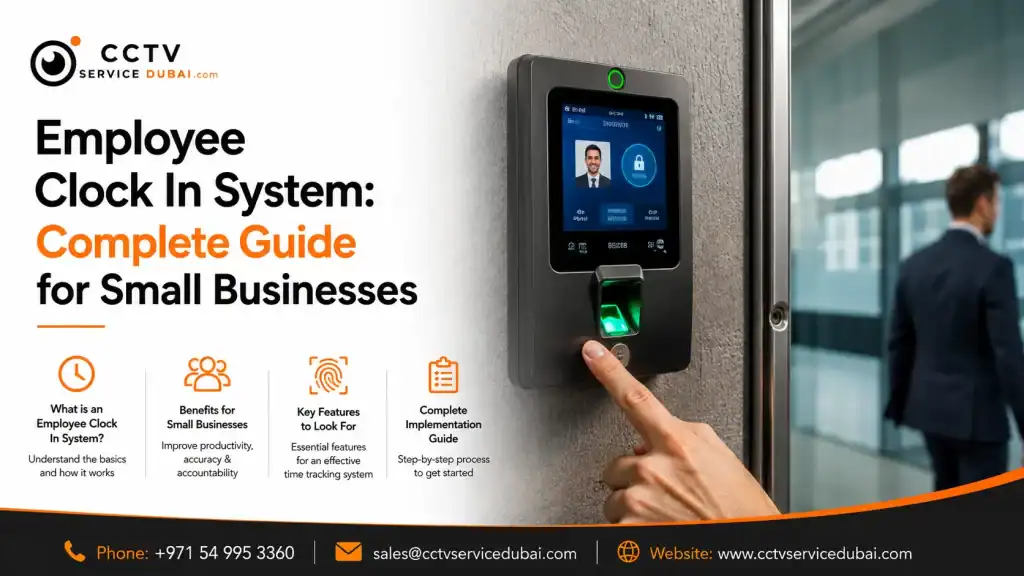
What Is an Employee Clock In System? An employee clock in system is a digital solution that records when employees start and finish work. Instead of using paper registers or spreadsheets, businesses can use fingerprint scanners, facial recognition, RFID cards, PINs, mobile applications, or cloud platforms to automate attendance tracking. A modern system can help businesses manage: Employee check-in and check-out Working hours Overtime Late arrivals Absences Shifts Leave Attendance reports For small businesses, this can reduce repetitive HR work while providing a more accurate record of employee attendance. Why Do Small Businesses Need a Clock In System? Manual attendance may work when a business has only a few employees. As the workforce grows, however, calculating working hours and managing attendance records becomes increasingly time-consuming. A clock in system for small business can automate much of this process. Instead of collecting attendance sheets and manually calculating hours, the system records employee activity electronically. Key benefits include: Reduced paperwork Fewer manual errors Faster attendance reporting Better employee accountability Easier payroll preparation Centralized attendance records Improved visibility of working hours For businesses with shifts or multiple departments, automation becomes even more valuable. How Does an Employee Clock In System Work? Most systems follow a simple process: Employee Identification → Verification → Attendance Record → Software For example: An employee arrives at work. They use a fingerprint, face, card, PIN, or mobile credential. The system verifies their identity. The check-in time is recorded. The information is transferred to attendance software. HR can view the attendance record. When the employee leaves, the same process records the check-out time. The software can then calculate working hours based on the configured schedules and attendance rules. What Types of Employee Clock In Systems Are Available? Businesses have several options depending on their requirements. System Best For Main Advantage Fingerprint Offices and retail Reliable identification Facial recognition Modern workplaces Contactless verification RFID/card General businesses Simple to use PIN Small teams Easy implementation Mobile Remote employees Flexible attendance Cloud-based Multiple locations Centralized management The best solution depends on the number of employees, work environment, budget, shift structure, and software requirements. What Are Biometric Time Clock Systems? Biometric time clock systems identify employees using physical characteristics such as fingerprints or facial features. Unlike a traditional attendance sheet or shared access card, biometric authentication connects an attendance event to a registered employee. Common biometric options include: Fingerprint recognition Facial recognition Palm recognition Other biometric technologies For many small and medium-sized businesses, fingerprint and facial recognition provide a practical balance between convenience and employee identification. How Does a Fingerprint Time Clock System Work? A fingerprint time clock system records attendance by matching an employee’s fingerprint with their registered biometric data. The process generally involves: Employee Enrollment The employee’s fingerprint is registered in the attendance device. Authentication The employee places their finger on the scanner. Verification The device compares the scan with the registered biometric template. Attendance Recording Once verified, the check-in or check-out event is recorded. Software Synchronization The attendance information is transferred to the management platform. Why Choose Fingerprint Attendance? A fingerprint system can offer: Quick authentication No physical attendance cards Automated attendance records Simple employee enrollment Potential integration with access control However, fingerprint recognition may not be ideal for every workplace. Employees working with dust, chemicals, oils, or materials that affect fingerprints may experience difficulties. In such environments, another authentication method may be more suitable. What Is a Facial Recognition Time Clock? A facial recognition time clock identifies employees using facial characteristics instead of requiring physical contact with a scanner. This makes it an attractive option for businesses looking for contactless attendance. Potential benefits include: Contactless check-in Fast employee verification No physical cards Convenient attendance tracking Reduced shared-credential issues Businesses should nevertheless consider privacy, data protection, lighting conditions, device positioning, and the technology used by the selected system. Are Cloud Based Time and Attendance Systems Useful? Cloud based time and attendance systems allow businesses to manage attendance information through an online platform. This can be particularly useful for companies with multiple offices, branches, or employees working across different locations. Depending on the platform, HR managers may be able to: View attendance remotely Manage employees Create shifts Generate reports Manage multiple locations Monitor attendance Access dashboards A cloud-based system can eliminate the need to depend entirely on one local computer for attendance management. However, businesses should evaluate the provider’s security, user permissions, data storage, backup policies, and support before choosing a cloud solution. What Is an Online Attendance Management System? An online attendance management system allows authorized users to manage employee attendance through a web-based or cloud-connected platform. Depending on the software, HR teams can manage: Employee profiles Departments Shifts Holidays Leave Overtime Attendance reports Multiple locations For example, a company with offices in different areas can potentially manage employee attendance from a centralized platform rather than maintaining separate spreadsheets for each location. This can reduce administrative work and improve visibility. What Is a Staff Clock In and Out System? A staff clock in and out system records when employees start and finish their working day. It can help managers answer practical questions such as: Who has arrived? Who is absent? Who arrived late? Who has left? How many hours has an employee worked? Who has worked overtime? This is particularly useful for businesses with shift-based employees. A digital system can automatically maintain these records instead of requiring managers to check paper attendance sheets. Can Attendance Systems Manage Different Shifts? Yes. Many modern attendance platforms support multiple shift schedules. For example: Morning: 8:00 AM – 5:00 PM Evening: 2:00 PM – 11:00 PM Night: 10:00 PM – 7:00 AM Depending on the software, HR can assign different schedules to different employees or departments. This can be useful for: Retail businesses Restaurants Hotels Warehouses Factories Security companies Healthcare organizations The software can then generate attendance reports based on the assigned schedules. Can an Employee Clock In System Integrate With Payroll? Many attendance systems can export or integrate attendance information with HR